Q: 11
You have an on-premises Active Directory Domain Services (AD DS) domain that syncs with an Azure
Active Directory (Azure AD) tenant. You plan deploy 100 new Azure virtual machines that will run
Windows Server. You need to ensure that each new virtual machine is joined to the AD DS domain.
What should you use?
Options
Discussion
D . Enabling enhanced session mode lets you use things like clipboard copy/paste, audio, even USB devices from your host in the VM. The other options either secure the VM or deal with credentials, but they don't improve user experience for connecting to the VM directly. Pretty sure this matches what you'd want for technical requirements focused on usability. Disagree?
D imo, because if the requirement was about local device redirection or clipboard, only enhanced session mode does that for VMConnect.
You want a better interactive desktop-like experience for VM2, including things like clipboard and USB redirection. That only happens if you enable enhanced session mode, so D is the fit. Let me know if I'm missing a requirement.
Option B
Be respectful. No spam.
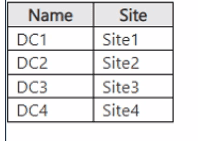
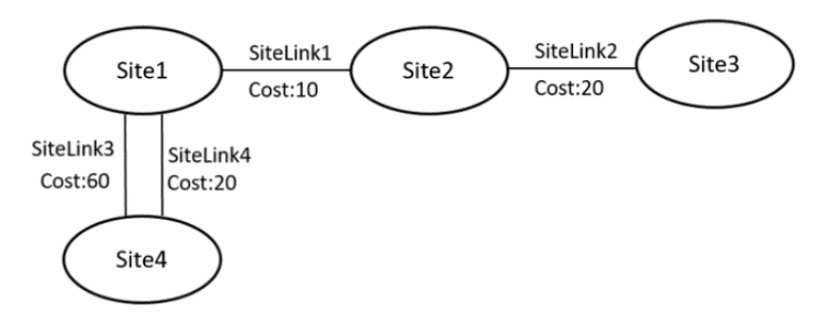 The sites contain the bridgehead domain controllers shown in the following table.
  The IP intersite transport container is configured as shown in the following exhibit. For each of the following statements, select Yes if the statement is true. Otherwise, select No. NOTE: Each correct selection is worth one point.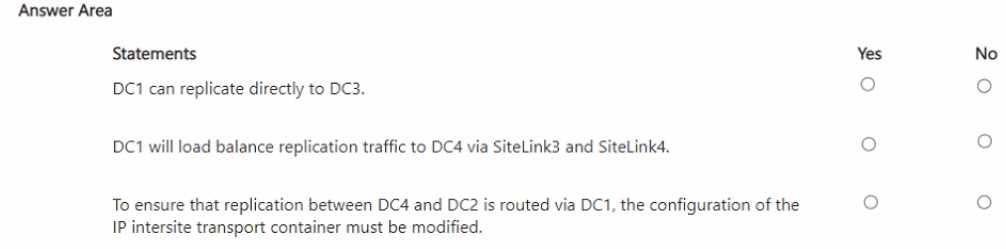
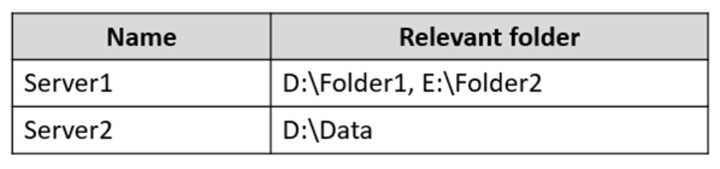 You have the Azure file shares shown in the following table.
 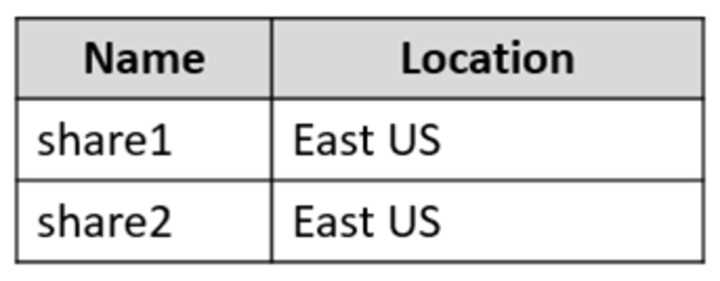 You add a Storage Sync Service named Sync1 and an Azure File Sync sync group named Group1. Group1 uses share1 as a cloud endpoint. You register Server1 and Server2 with Sync1. You add D:\Folder1 from Server1 as a server endpoint in Group1. For each of the following statements, select Yes if the statement is true. Otherwise, select No. NOTE: Each correct selection is worth one point.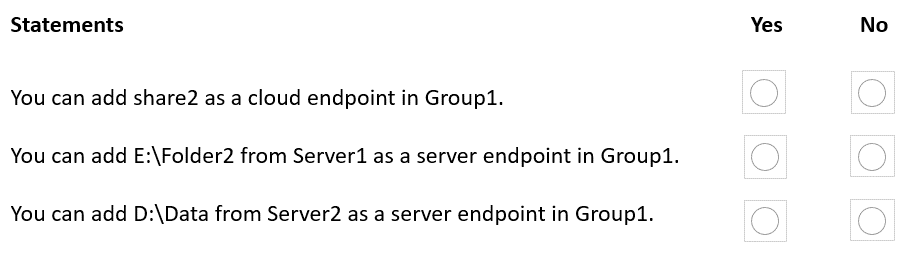
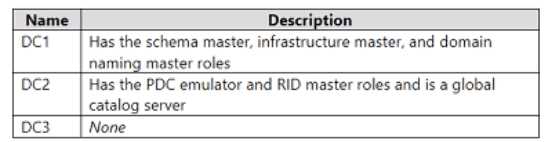 You need to configure DC3 to be the authoritative time server for the domain. Which operations master role should you transfer to DC3, and which console should you use? To answer, select the appropriate options in the answer area. NOTE: Each correct selection is worth one point.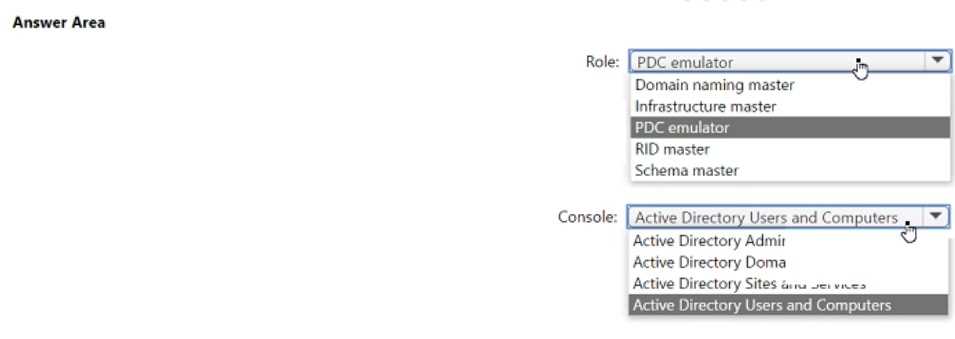
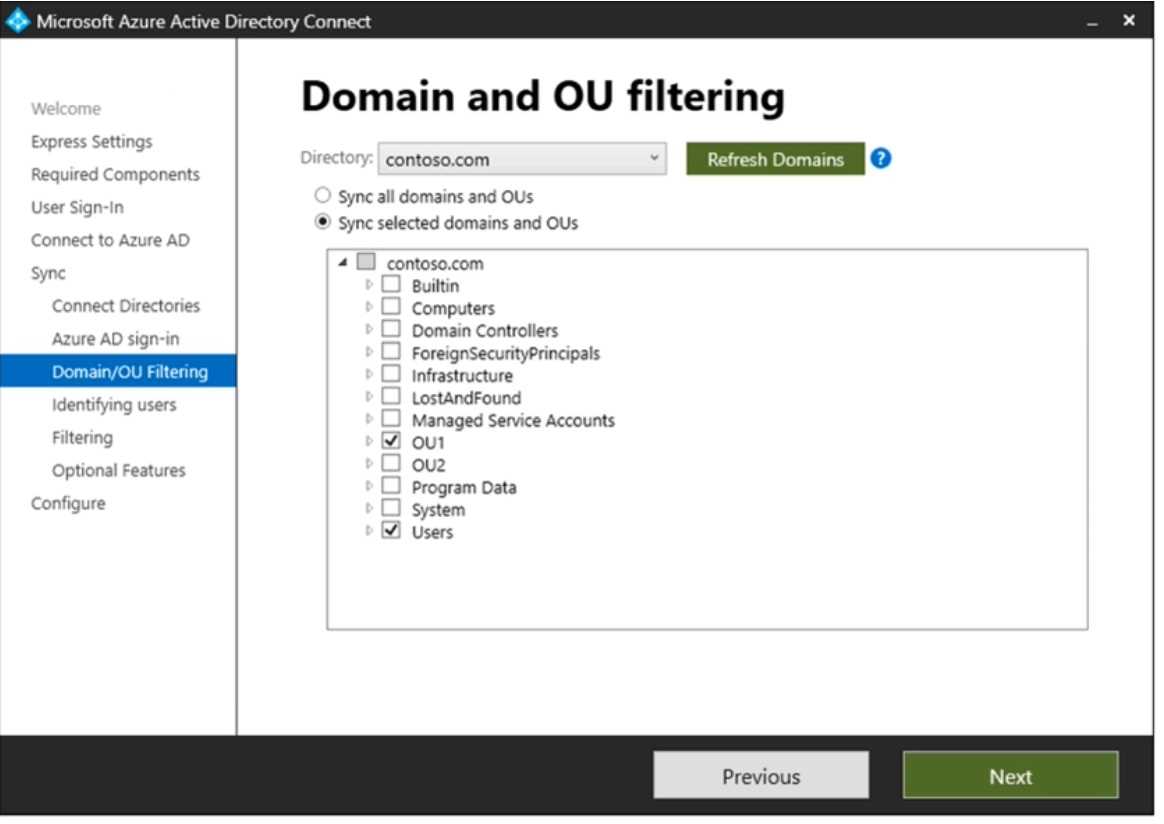
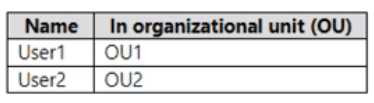 Domain/OU filtering in Azure AD Connect is configured as shown in the Filtering exhibit. (Click the Filtering tab.)
  You review the Azure AD Connect configurations as shown in the Configure exhibit. (Click the Configure tab.)
 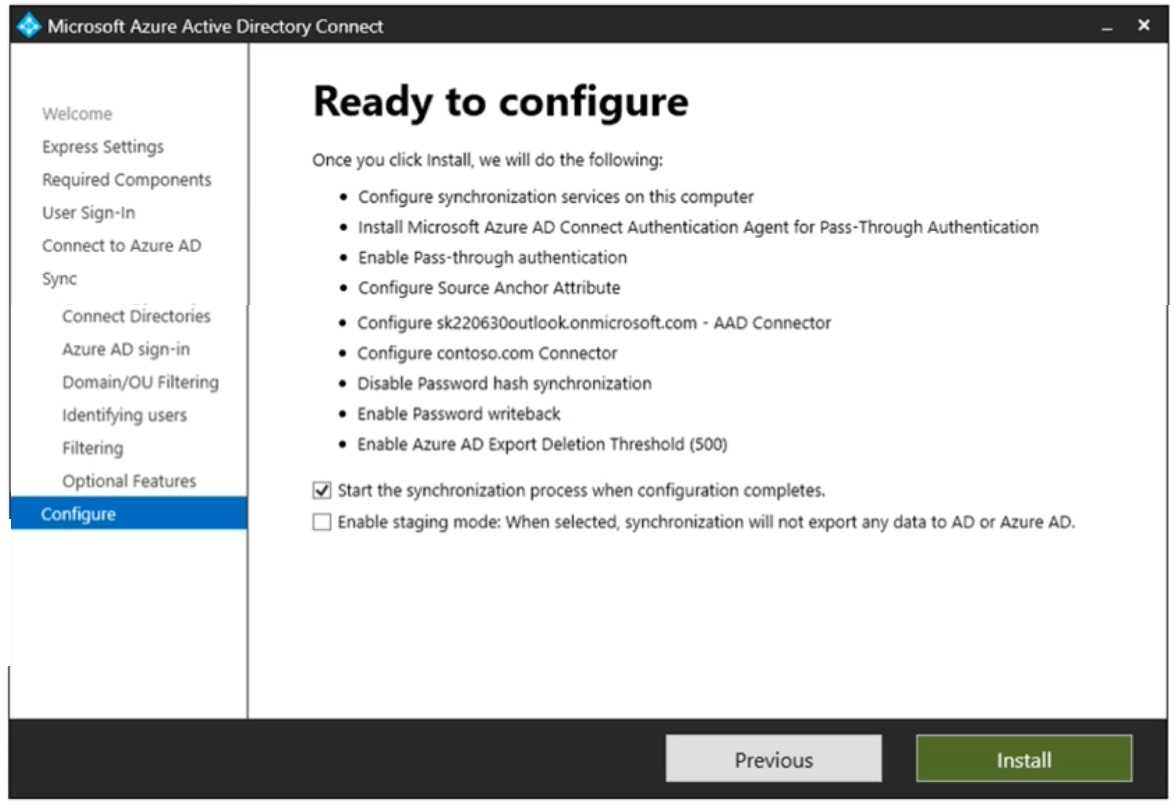 For each of the following statements, select Yes if the statement is true. Otherwise, select No. NOTE: Each correct selection is worth one point.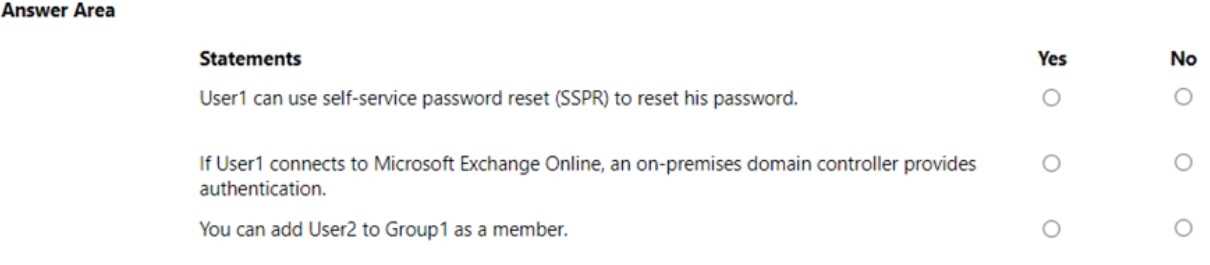

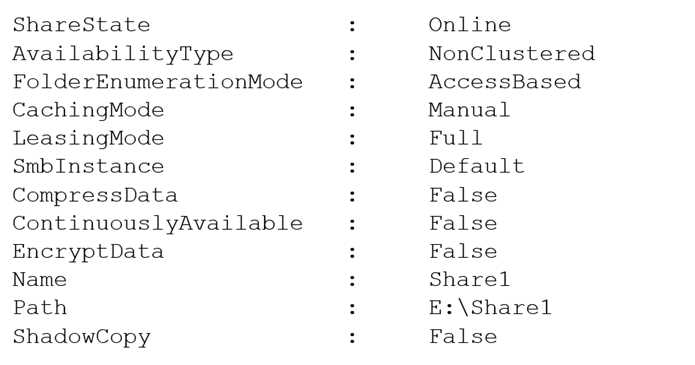 The share permissions for Share1 are configured as shown in the Share Permissions exhibit.
 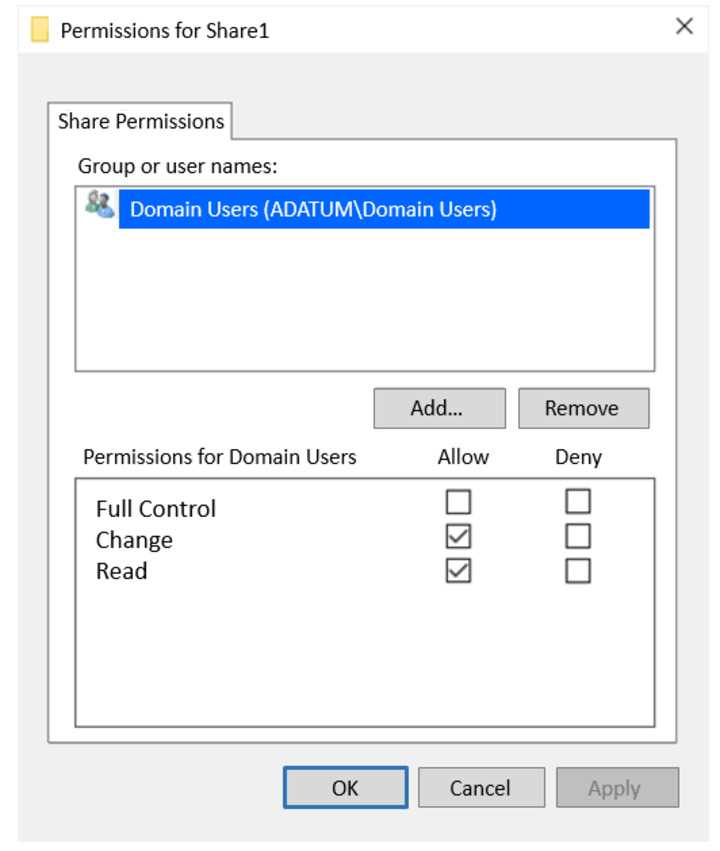 Share1 contains a file named File1.bxt. The share settings for File1.txt are configured as shown in the File Permissions exhibit.
 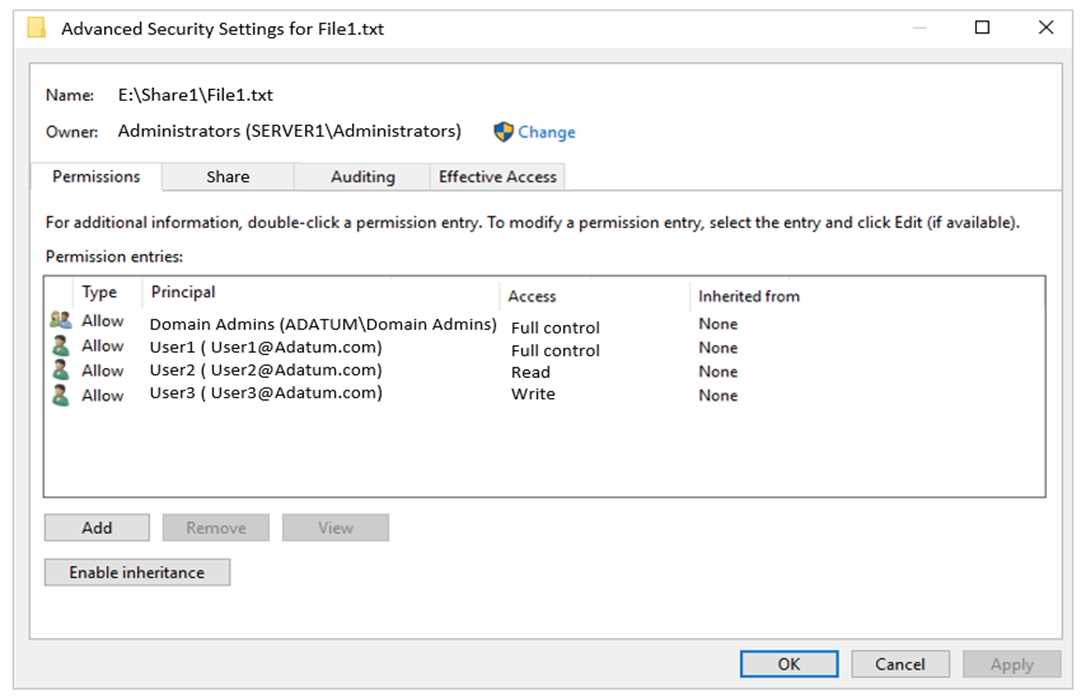 For each of the following statements, select Yes if the statement is true. Otherwise, select No. NOTE: Each correct selection is worth one point.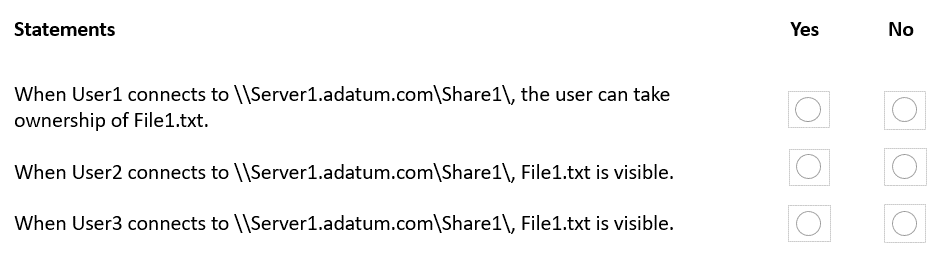
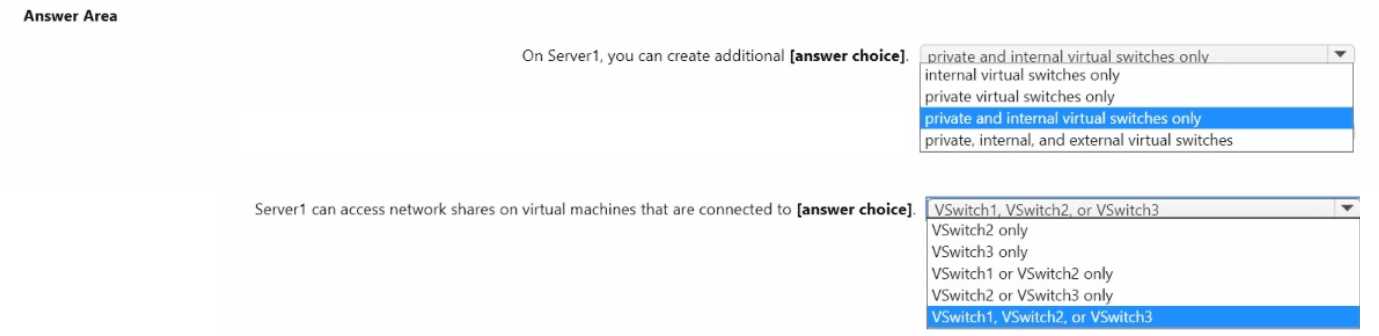
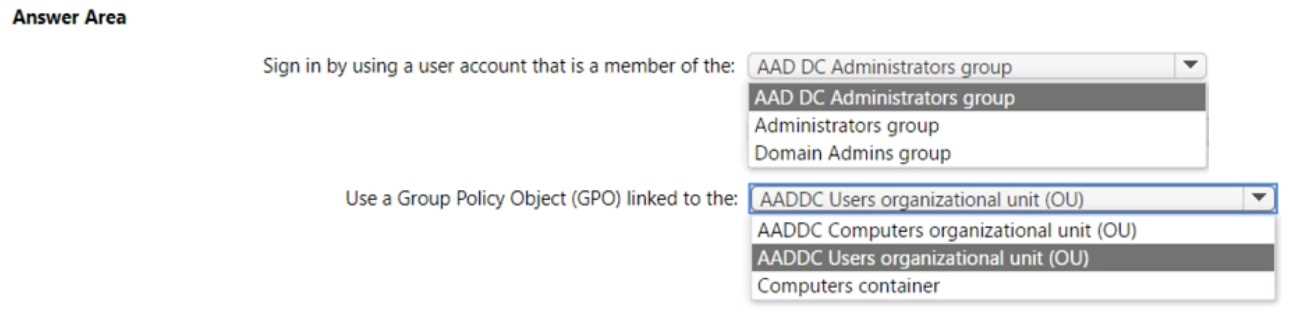
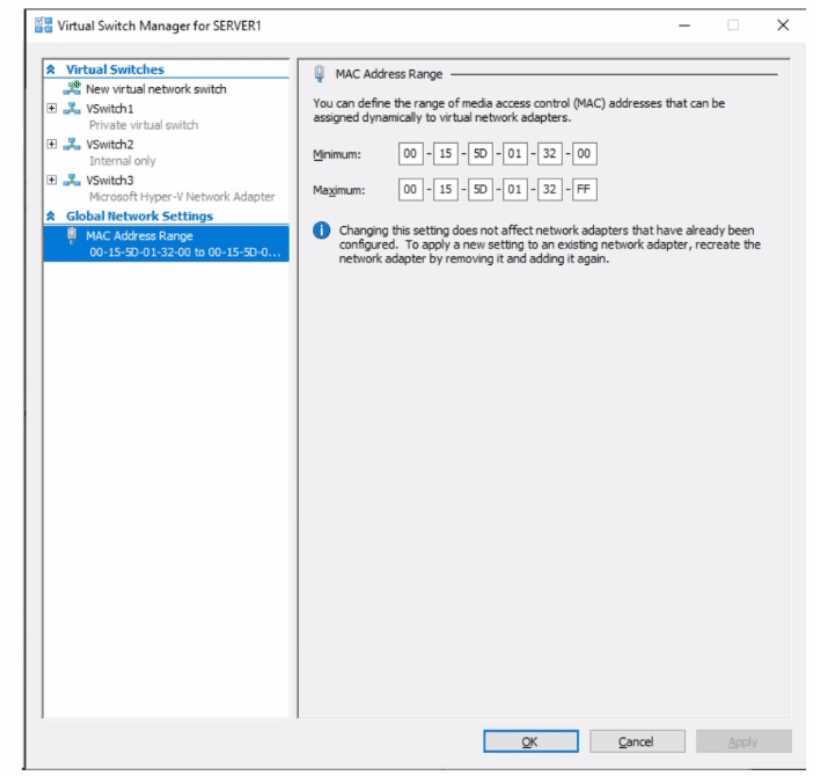 Use the drop-down menus to select the answer choice that completes each statement based on the information presented in the graphic. NOTE: Each correct selection is worth one point.