
Q: 19
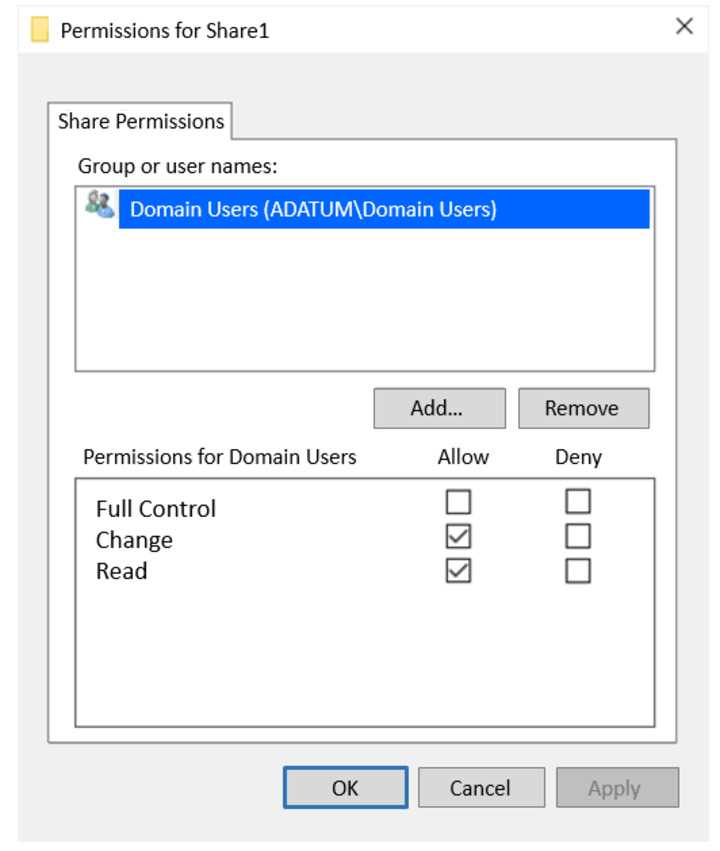
HOTSPOT Your network contains an Active Directory Domain Services (AD DS) domain named adatum.com. The domain contains a file server named Server1 and three users named User1, User2, and User3. Server1 contains a shared folder named Share1 that has the following configurations: 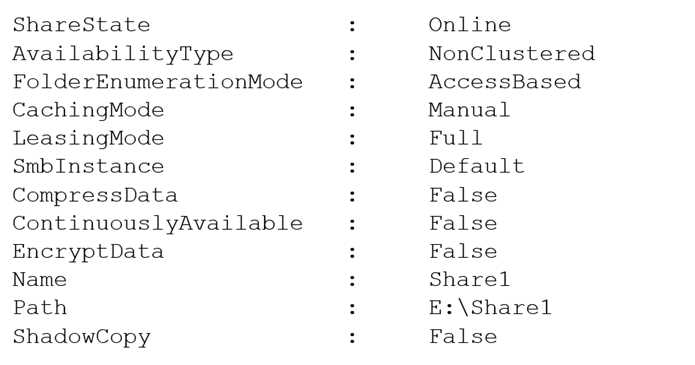 The share permissions for Share1 are configured as shown in the Share Permissions exhibit.
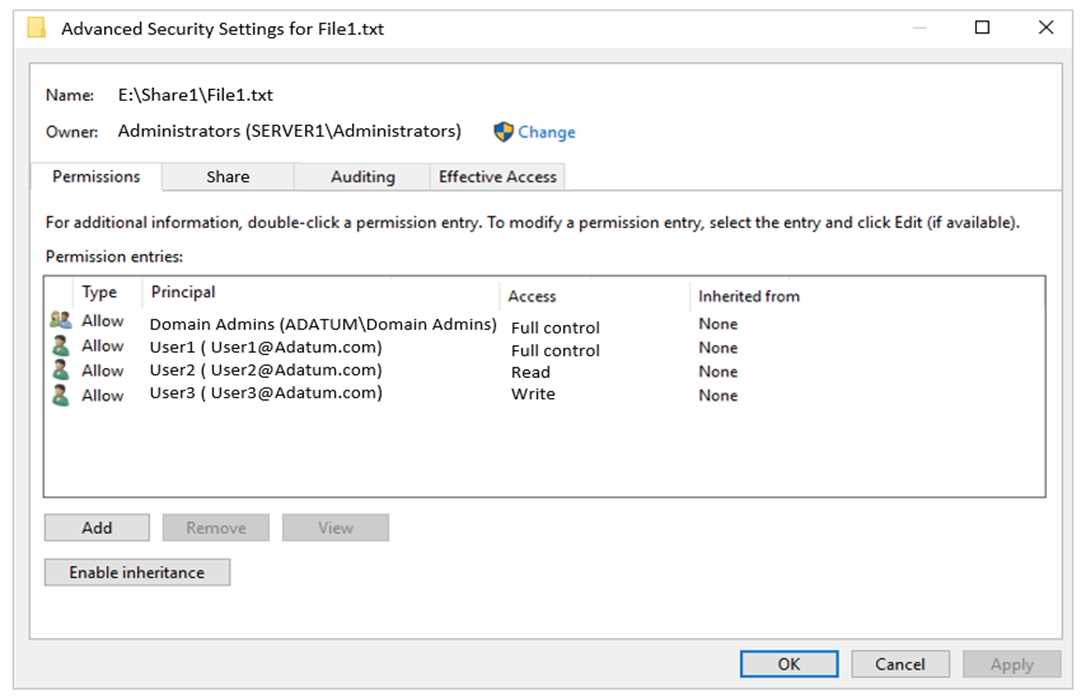
  Share1 contains a file named File1.bxt. The share settings for File1.txt are configured as shown in the File Permissions exhibit.
  For each of the following statements, select Yes if the statement is true. Otherwise, select No. NOTE: Each correct selection is worth one point.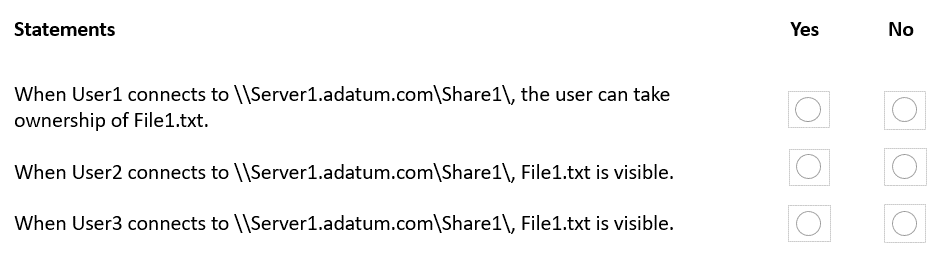
Your Answer
Discussion
Install BranchCache for network files on Server1, enable BranchCache distributed mode on the client PCs, right? Not 100% sure.
Be respectful. No spam.
