
Q: 9
DRAG DROP You create an Azure subscription. You need to ensure that you can use Azure Active Directory (Azure AD) Privileged Identity Management (PIM) to secure Azure AD roles. Which three actions should you perform in sequence? To answer, move the appropriate actions from the list of actions to the answer area and arrange them in the correct order.
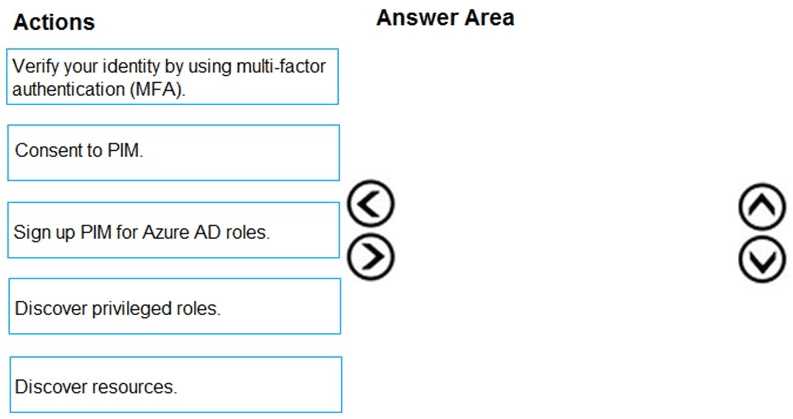
Drag & Drop
Discussion
Consent to PIM → MFA → Sign up PIM for Azure AD roles. I don’t think you can select 'discover' steps before onboarding is finished, it's an easy trap. Similar question showed up on practice exams too.
Consent to PIM, then MFA, then sign up PIM for roles. Saw similar sequence on my exam. Confident that's right.
Consent to PIM → MFA → Sign up PIM for Azure AD roles. The 'discover' steps usually come after onboarding, easy miss since they look important up front. I've seen a similar sequence on practice labs, but open to correction if the portal flows changed recently.
Consent to PIM, then verify with MFA, then sign up PIM for Azure AD roles. You have to onboard PIM and prove your admin identity before you can actually assign anything. The discover steps are after all that. Pretty sure that's the right Azure flow but let me know if anyone saw something different on the new UI.
Not quite, the discover actions are tempting but you can't discover privileged roles until PIM is actually set up. The correct sequence is: Consent to PIM, then verify with MFA, then sign up PIM for Azure AD roles. Easy to get tripped up by that first discover step.
Yeah, order makes sense here. First you need to consent to PIM so Azure can actually manage roles, then it'll hit you with MFA as a security measure, and finally you sign up PIM for the Azure AD roles. The discover steps come later after setup. That's how I've seen it in lab environments too, but let me know if I'm missing anything!
- Consent to PIM
- Verify your identity by using multi-factor authentication (MFA)
- Sign up PIM for Azure AD roles
Does the question specify if it's a brand new tenant or one that already has PIM partially set up? If some steps are pre-configured, the required actions could be different.
Consent to PIM → Verify with MFA → Sign up PIM for Azure AD roles. This matches the typical onboarding flow for enabling PIM in a fresh setup. Consent authorizes PIM, then identity check with MFA, finally actually enabling PIM on roles. Seen similar steps in Microsoft docs, pretty sure this is the right order. Disagree?
Consent to PIM, then MFA verification, then sign up PIM for Azure AD roles. I don’t think you start with discover steps since you can’t manage roles before setup. Pretty sure this is what MS expects here, unless I’m missing a trick with the MFA order.
Consent to PIM, discover privileged roles, sign up PIM for Azure AD roles. Not totally sure if 'discover' goes second but that's what I picked.
Be respectful. No spam.
