DRAG DROP You have an Azure subscription that contains the storage accounts shown in the following table. 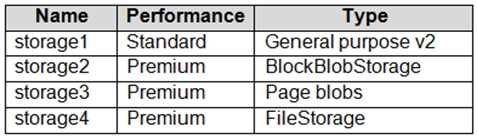 You have a custom generalized Windows 10 image. You plan to deploy an Azure Virtual Desktop host pool that will use the custom image and FSLogix profile containers. You need to recommend which storage accounts to use for the custom image and the profile containers. The solution must meet the following requirements: Minimize costs to store the image. Maximize performance of the profile containers. Which account should you recommend for each type of content? To answer, drag the appropriate accounts to the correct content type. Each account may be used once, more than once, or not at all. You many need to drag the split bar between panes or scroll to view content. NOTE: Each correct selection is worth one point.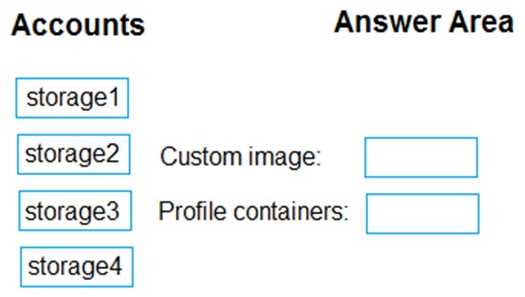
Yeah this lines up with the usual advice. For cost, custom images are best kept on a Standard GPv2 account (storage1). For FSLogix profile containers, the performance boost from Premium FileStorage (storage4) is what you'd want since user profile I/O can be heavy. Official docs and some exam practice sets mention this split so pretty sure it's correct.
Custom image → storage1,
Profile containers → storage4. Anyone see a different approach?
Looks right to me. For cost savings, the custom image should be on storage1 (Standard GPv2), and FSLogix profiles need storage4 (Premium FileStorage) for best performance. Seen similar advice in MS docs. Anyone disagree?
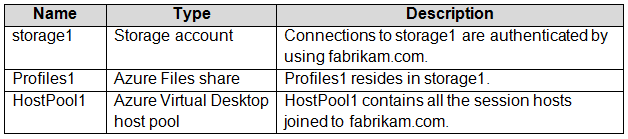 All Azure Virtual Desktop users are members of the AVDusers group. You plan to create FSLogix profile containers in Profiles1. You need to configure Profiles1 and fabrikam.com to ensure that the HostPool1 sessions hosts can access the FSLogix profile containers. What should you do? To answer, drag the appropriate configurations to the correct targets. Each configuration may be used once, more than once, or not at all. You may need to drag the split bar between panes or scroll to view content.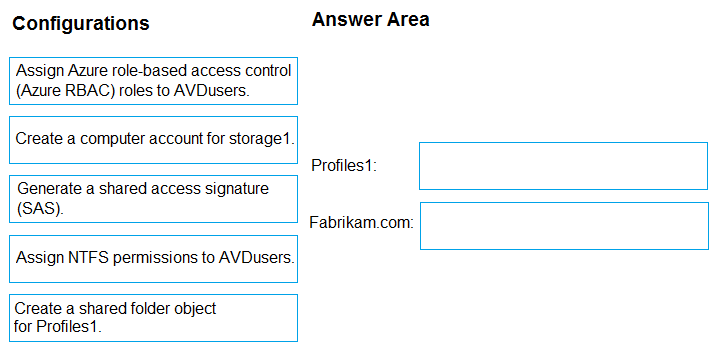
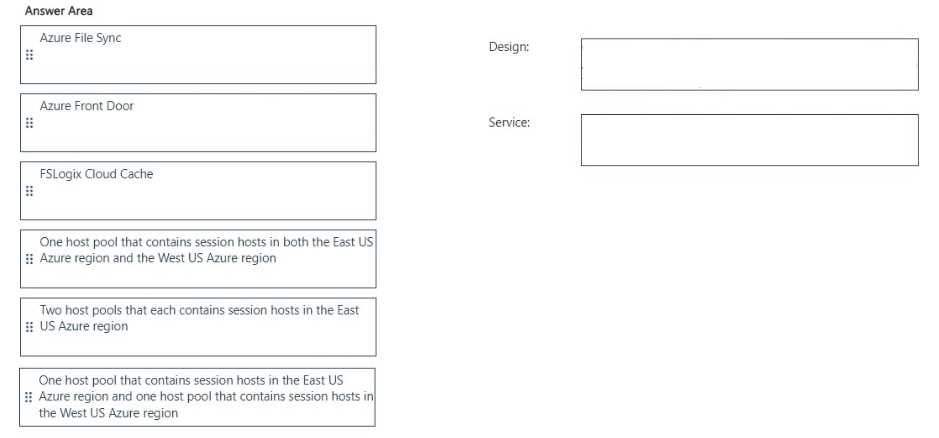
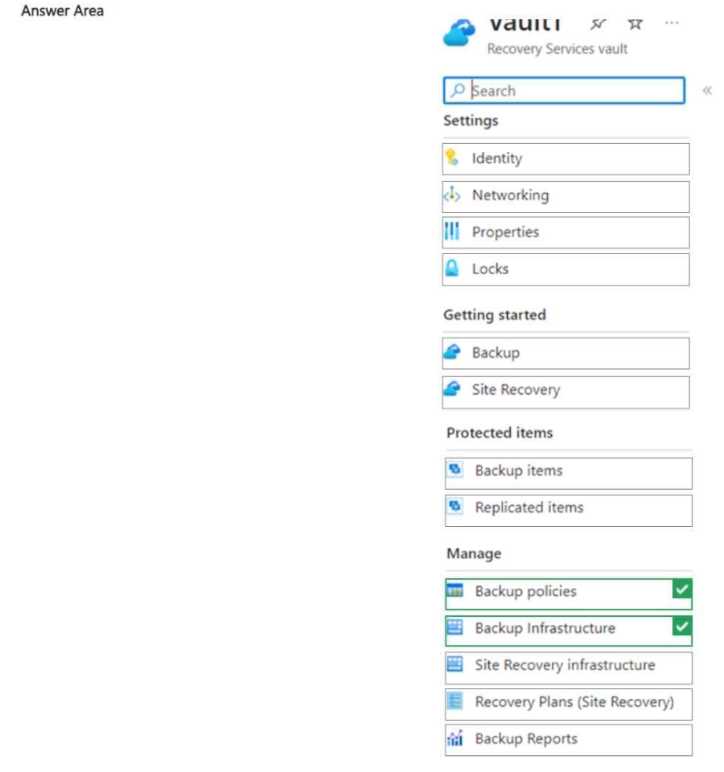
 Share1 stores FSLogix profile containers and is backed up daily to Vault1. You need to change the backup location of share1 to Vault2. Which two settings should you modify for Vault1 to prepare for the change? To answer, select the appropriate settings in the answer area. NOTE: Each correct selection is worth one point.