
HOTSPOT - You create an Azure Virtual Desktop host pool as shown in the following exhibit. 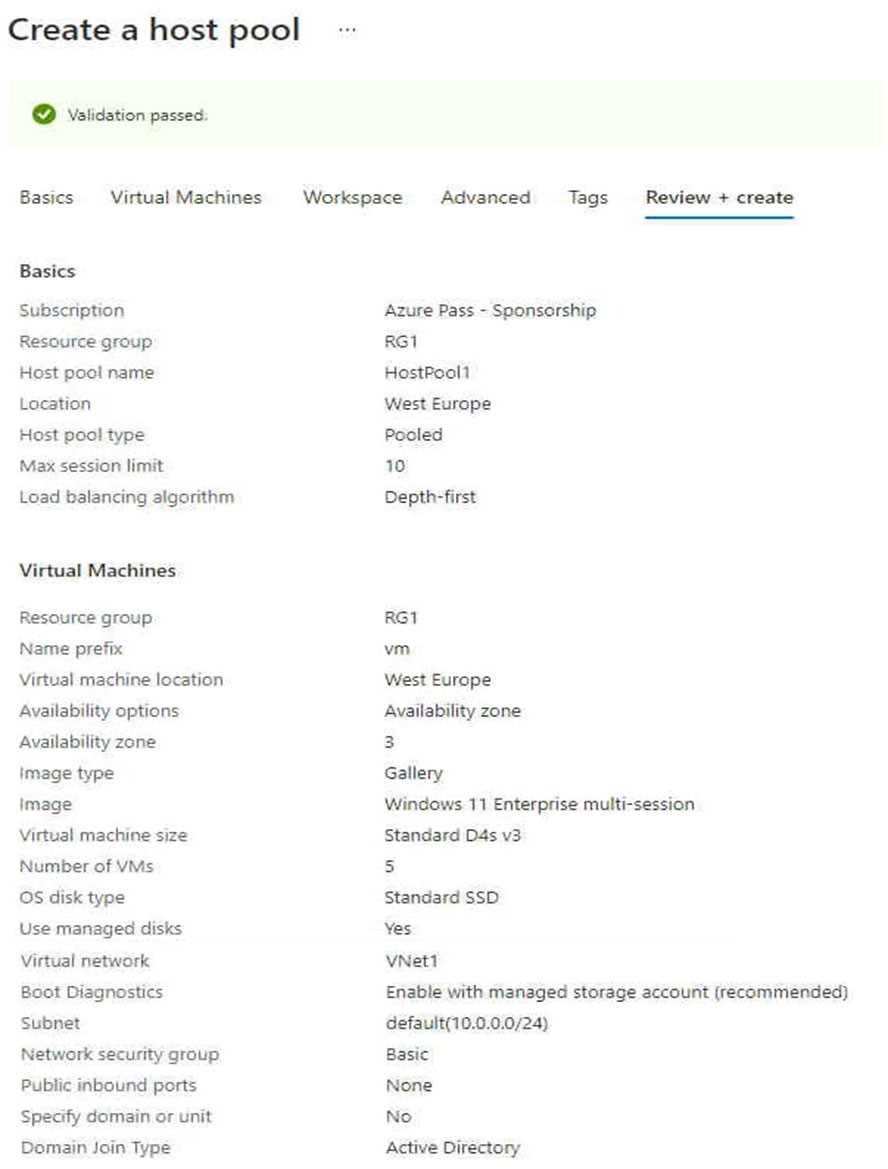 Use the drop-down menus to select the answer choice that answers each question based on the information presented in the graphic. NOTE: Each correct selection is worth one point. Hot Area: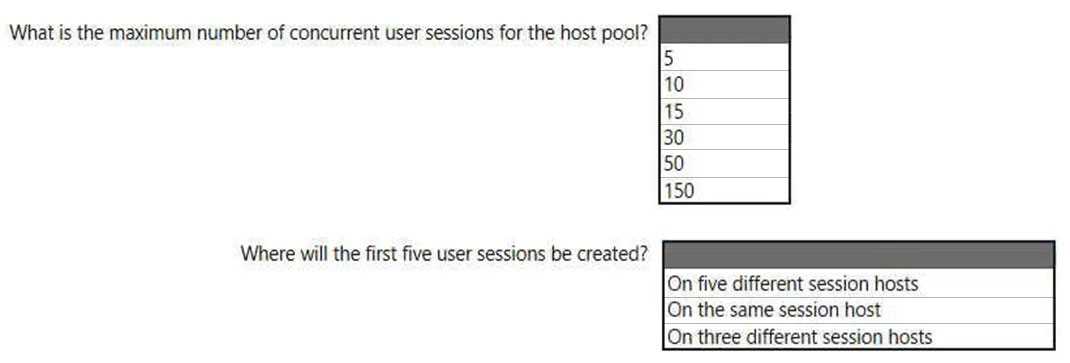
Depth-first is the key trap here, since it fills up one VM before moving to the next. Some might pick "across multiple hosts" but that's not how depth-first works in AVD. Let me know if you see it differently.
Nice one, this matches what I’ve seen in exam dumps. Session hosts need the WebRTC Redirector Service for Teams redirection, and hardware encoding gets enabled on client devices by editing the registry. So it’s:
Session hosts: Install the Remote Desktop WebRTC Redirector Service.
Client devices: Set the UseHardwareEncoding registry key to 1.
Pretty sure that’s right, but open to correction!
That depth-first setting makes all new sessions pile up on one VM until it's full, not spread out. Seen this logic in practice labs too, so I think that's right here.
Yeah, so for max concurrent sessions you multiply 5 VMs by the max limit of 10 per VM, which gives you 50 total. The depth-first load balancing means new sessions will stack up on the same host until it hits its cap before moving to the next. Pretty sure that's what they're going for here, but correct me if I'm off.
Yep, this is depth-first in action. Max sessions is 50 since it's 5 hosts times 10 sessions each, and for the session placement, depth-first always fills up one VM before touching another. So first new logins go to the same session host until it's full. If someone disagrees let me know, but feels solid.
Seen similar setups in the official guide and practice tests: session hosts should get the WebRTC Redirector Service, while on client devices you enable hardware encoding via the UseHardwareEncoding registry key. Feels correct but let me know if there's a nuance I'm missing.
