
DRAG DROP You have an Azure Virtual Desktop deployment. You plan to use a Conditional Access policy to enforce multi-factor authentication (MFA) when users connect to the deployment. The solution must meet the following requirements: • Enforce MFA when a user connects to Azure Virtual Desktop by using a subscription feed. • Enforce MFA when a user authenticates to a session host that has single sign-on (SSO) enabled. You need to identify which cloud apps to use for the Conditional Access policy. Which app should you use for each requirement? To answer, drag the appropriate apps to the correct requirements. Each app may be used once, more than once, or not at all. You may need to drag the split bar between panes or scroll to view content. NOTE: Each correct selection is worth one point.
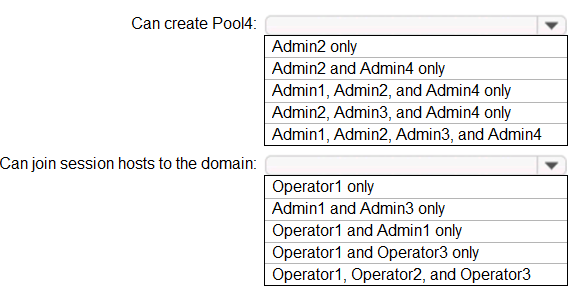
Azure Virtual Desktop → subscription feed, Azure Windows VM Sign-in → SSO session host. I picked these since the AVD app covers connecting to the service and the Windows VM Sign-in handles SSO logins. Pretty sure that's how CA splits those controls, but open to corrections.
Just saw something like this in practice sets. For subscription feed, it should be Azure Virtual Desktop, and for authenticating to a session host with SSO, it's Azure Windows VM Sign-in. Makes sense since the former covers feed discovery and the latter does SSO directly on the VM. Think that's right but if anyone caught something different, let me know.
- Connecting to Azure Virtual Desktop by using a subscription feed → Azure Virtual Desktop
- Authenticating to a session host that has SSO enabled → Azure Windows VM Sign-in
