
HOTSPOT You have an Azure subscription that contains the resources shown in the following table.  Share1 stores FSLogix profile containers and is backed up daily to Vault1. You need to change the backup location of share1 to Vault2. Which two settings should you modify for Vault1 to prepare for the change? To answer, select the appropriate settings in the answer area. NOTE: Each correct selection is worth one point.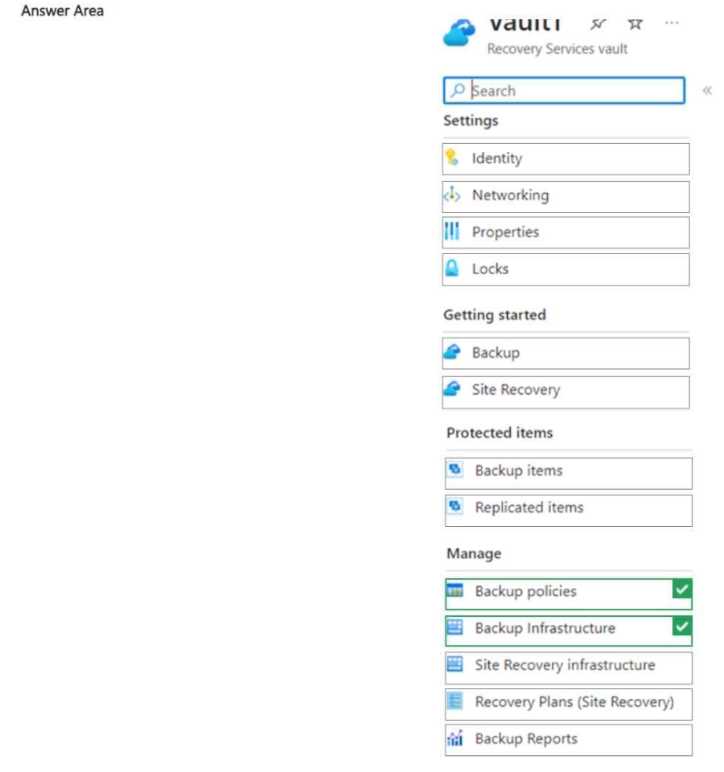
Backup items and backup policies are right here. You have to stop backup for the share in Vault1 (from backup items) and make sure any policy association is cleaned up. Pretty standard for Azure file share migrations, let me know if you saw another way.
Backup items and backup policies are the two you need to touch for Vault1 before switching vaults. You stop backup on the item, then clean up or adjust policies if needed. Seen this come up in a few labs, pretty sure that's how it works. If someone tried just moving the vault link directly, let me know if it worked differently.
