View Mode
Q: 11
What is demonstrated by the code below? // RawDao.kt @Dao interface RawDao { @RawQuery fun getUserViaQuery(query: SupportSQLiteQuery?): User? } // Usage of RawDao ... val query = SimpleSQLiteQuery("SELECT * FROM User WHERE id = ? LIMIT 1", arrayOf(sortBy)) val user = rawDao.getUserViaQuery(query) ...
Options
Q: 12
The Layout Inspector in Android Studio allows you to compare your app layout with design mockups, display a magnified or 3D view of your app, and examine details of its layout at runtime. When this is especially useful?
Options
Q: 13
If you want the Database Inspector to automatically update the data it presents as you interact with your running app, check the Live updates checkbox at the top of the inspector window. While live updates are enabled, what happens with the table in the inspector window?
Options
Q: 14

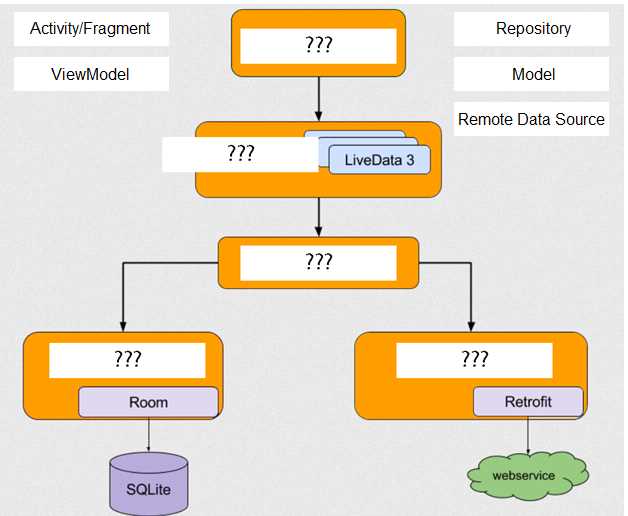
DRAG DROP With recommended app architecture. Fill the following diagram, which shows how all the modules usually should interact with one another after designing the app (drag modules to correct places). Google Associate Android Developer question

Drag & Drop
Q: 15

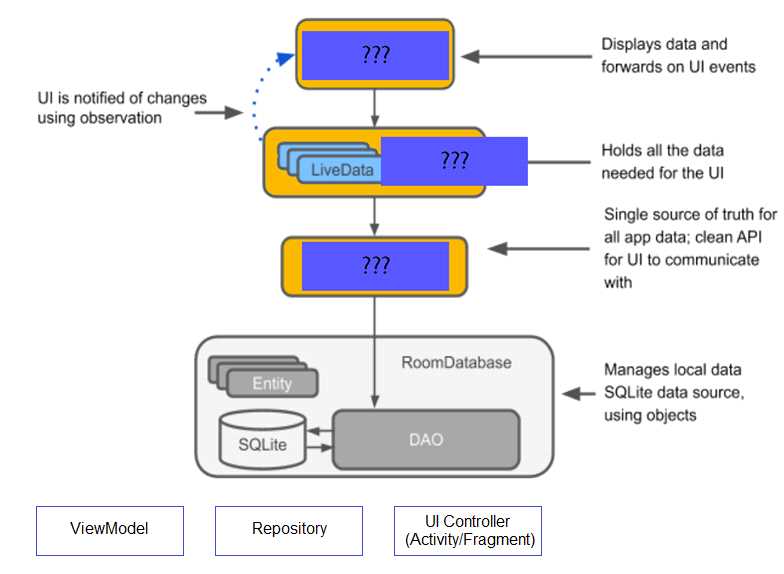
DRAG DROP The diagram below shows a basic form of the recommended architecture for apps that use Architecture Components. The architecture consists of a UI controller, a ViewModel that serves LiveData, a Repository, and a Room database. Drag modules to correct places. Google Associate Android Developer question

Drag & Drop
Q: 16

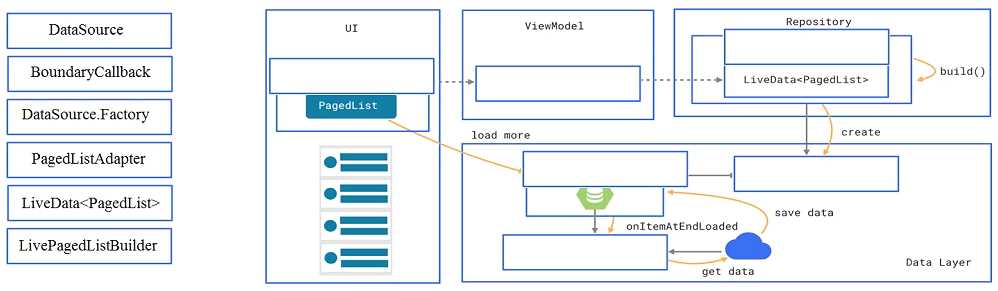
DRAG DROP In a common Paging Library architecture scheme, move instances to the correct positions. Google Associate Android Developer question

Drag & Drop
Q: 17

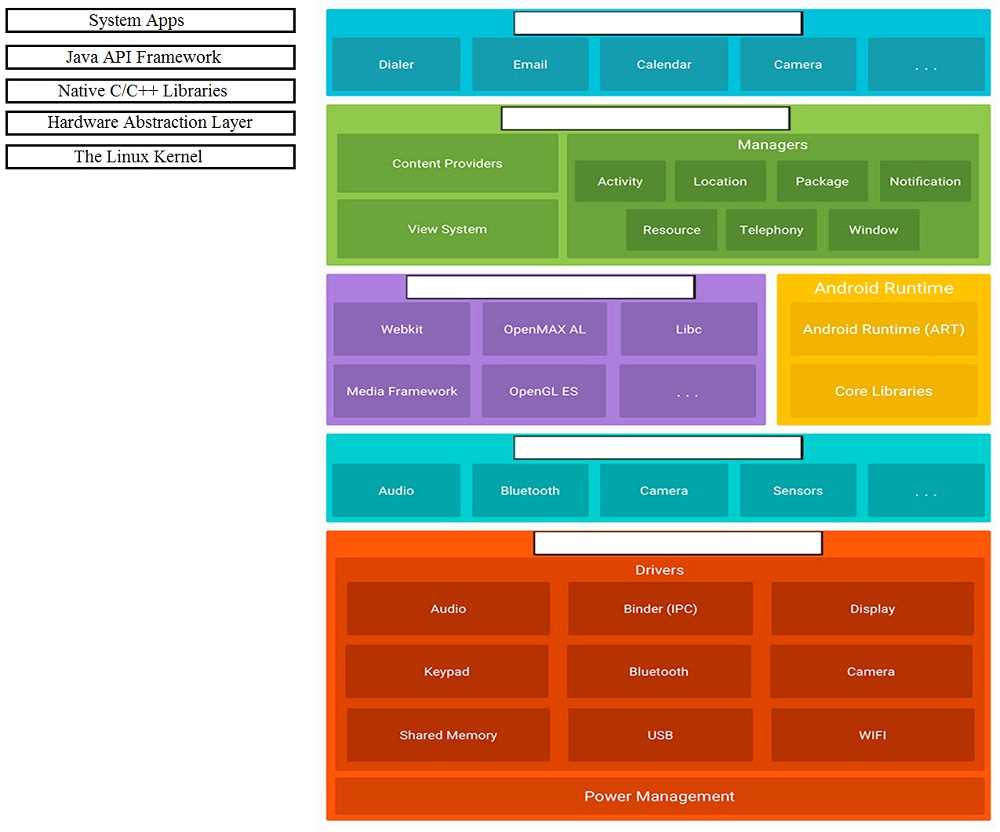
DRAG DROP Move the major components of the Android platform to correct places in diagram. Google Associate Android Developer question

Drag & Drop
Q: 18

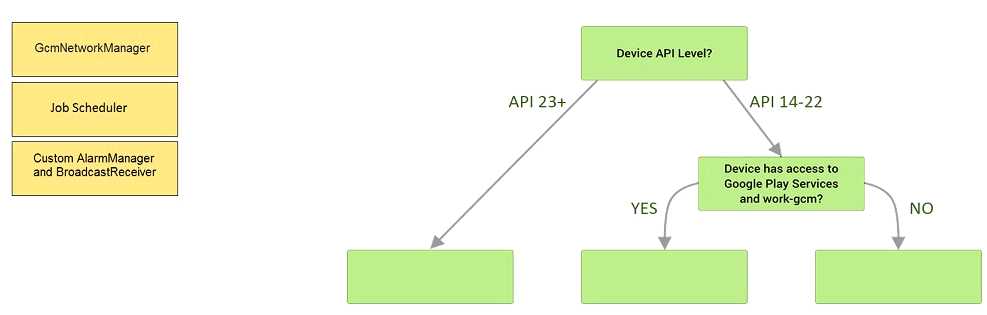
DRAG DROP Under the hood WorkManager uses an underlying job dispatching service based on the following criteri a. You need to move services to the correct places. Google Associate Android Developer question

Drag & Drop
Q: 19
Which build options in the Build menu to choose to delete all intermediate/cached build files.
Options
Q: 20
The easiest way of adding menu items (to specify the options menu for an activity) is inflating an XML file into the Menu via MenuInflater. With menu_main.xml we can do it in this way:
Options
Question 11 of 20 · Page 2 / 2

Premium Access Includes

  • Quiz Simulator
  • Exam Mode
  • Progress Tracking
  • Question Saving
  • Flash Cards
  • Drag & Drops
  • 3 Months Access
  • PDF Downloads
Get Premium Access
Scroll to Top

FLASH OFFER

Days
Hours
Minutes
Seconds

avail 10% DISCOUNT on YOUR PURCHASE