
Q: 3
Scenario
You're trying to connect a podcasting microphone to your MacBook Air. You're using the Apple USB-C
Digital AV Multiport Adapter connected to a standard USB A to B cable that connects to the
microphone. You open Sound in System Settings and click the input tab. but the microphone doesn't
appear in the sound input device list.
 What should you use to verify that your Mac has successfully connected to the microphone?
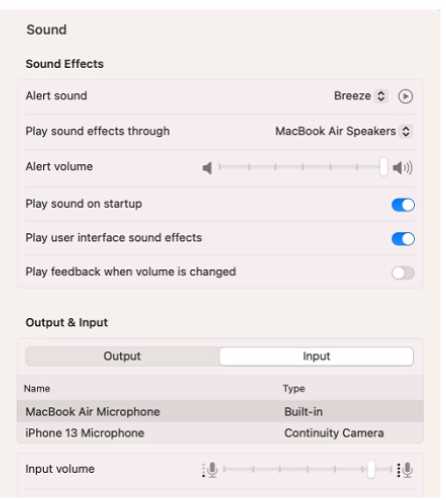 What should you use to verify that your Mac has successfully connected to the microphone?
Options
Discussion
Its C here
C tbh. System Information > USB tells you if the MacBook actually detects the mic at the hardware level, which matters before worrying about drivers or settings. If it doesn't show there, something's off with the connection.
My pick: B for this one. I figure if you check VoiceOver Utility it could show available input devices, including USB CODEC for the mic. Not totally sure since System Information is also useful, but thinking the utility gives direct feedback in audio setups. Agree?
Had something super similar on a practice set, and C was right there too. System Information > USB is the way to confirm hardware detection first, pretty sure. If anyone got a different result, let me know.
Probably B. Saw practice tests suggest using VoiceOver Utility for audio troubleshooting, and official guide mentions it for device checks.
I get the idea behind picking B since VoiceOver Utility shows audio devices, but isn’t that more a list of what macOS recognizes after hardware detection? If the mic doesn't even show up in System Information under USB, it won’t appear as an audio input either, right? Maybe I’m missing something technical here?
Its C, B is a trap since VoiceOver utility won’t show devices not detected at hardware level.
C , had something like this in a mock and System Information > USB showed if it was seen.
Be respectful. No spam.
