
Q: 20
HOTSPOT
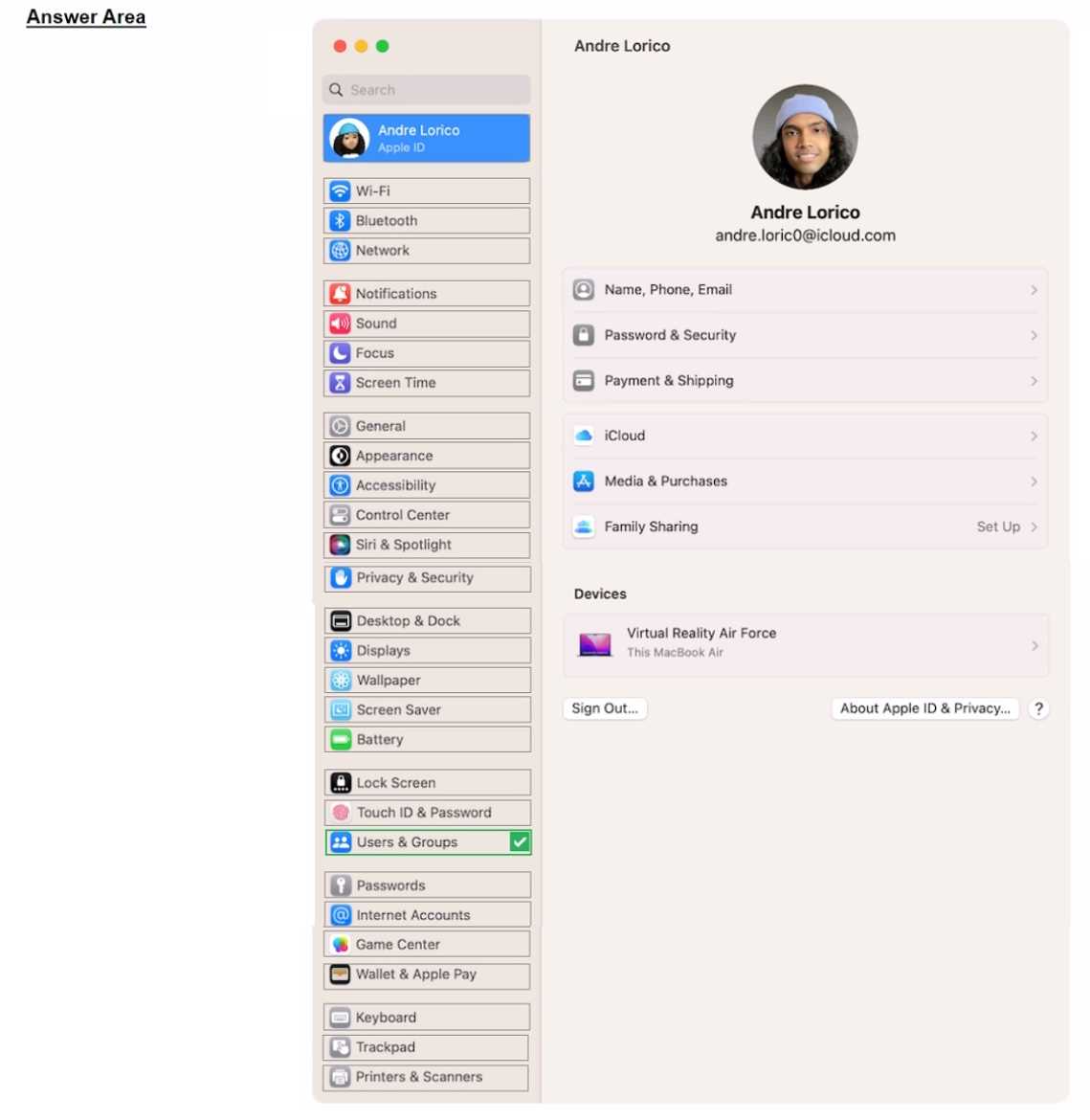
Select the setting in the sidebar that you should use to delete a user on your Mac.

Your Answer
Discussion
Gotta pick "Users & Groups" for this one.
Users & Groups is the correct spot for deleting a user on macOS. Account management stuff always goes there, not in System or Security prefs. Pretty sure that's how Apple's had it for years. Agree with others here.
Easy one, "Users & Groups" is where you delete user accounts on a Mac. That matches what's on official support docs and practice tests I've seen.
I recommend reviewing the official Apple user guide and running through the sidebar settings in a Mac lab environment if you can.
Be respectful. No spam.
