
Q: 17
HOTSPOT
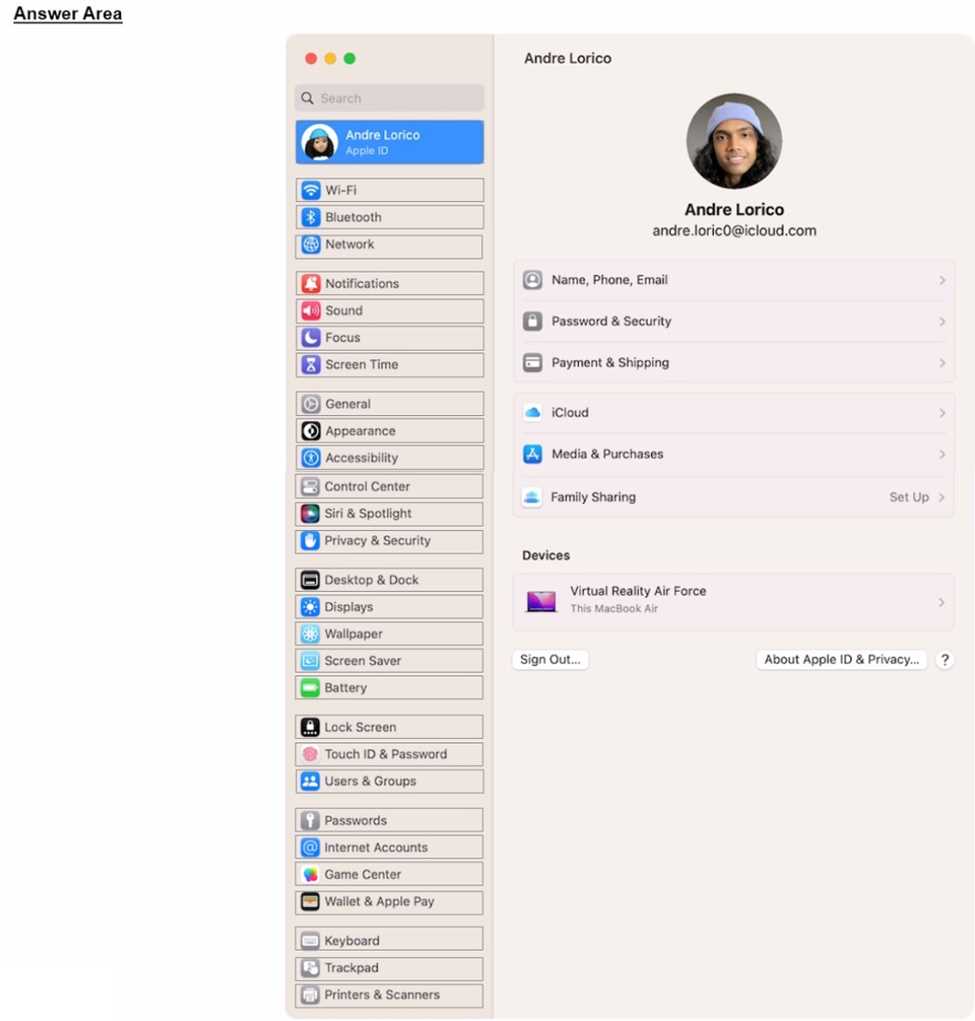
Where can you add a VPN configuration in macOS?

Your Answer
Discussion
If they're asking about Ventura or newer, it's definitely System Settings > Network > VPN & Filters.
System Settings > Network > VPN & Filters is the current path. Apple official docs and their support pages are good for these navigation changes if you're prepping.
System Settings > Network > VPN & Filters. But if it's pre-Ventura, it's actually System Preferences instead.
Isn’t it System Preferences > Network for older macOS, not System Settings? The question doesn’t mention version.
It depends, does the question specify if it's Ventura or earlier? Newer macOS moved VPN to System Settings, but older versions use System Preferences. That would change the answer.
Pretty sure it's System Preferences > Network if you're on older macOS. The VPN option in System Settings is kinda new.
Be respectful. No spam.
