
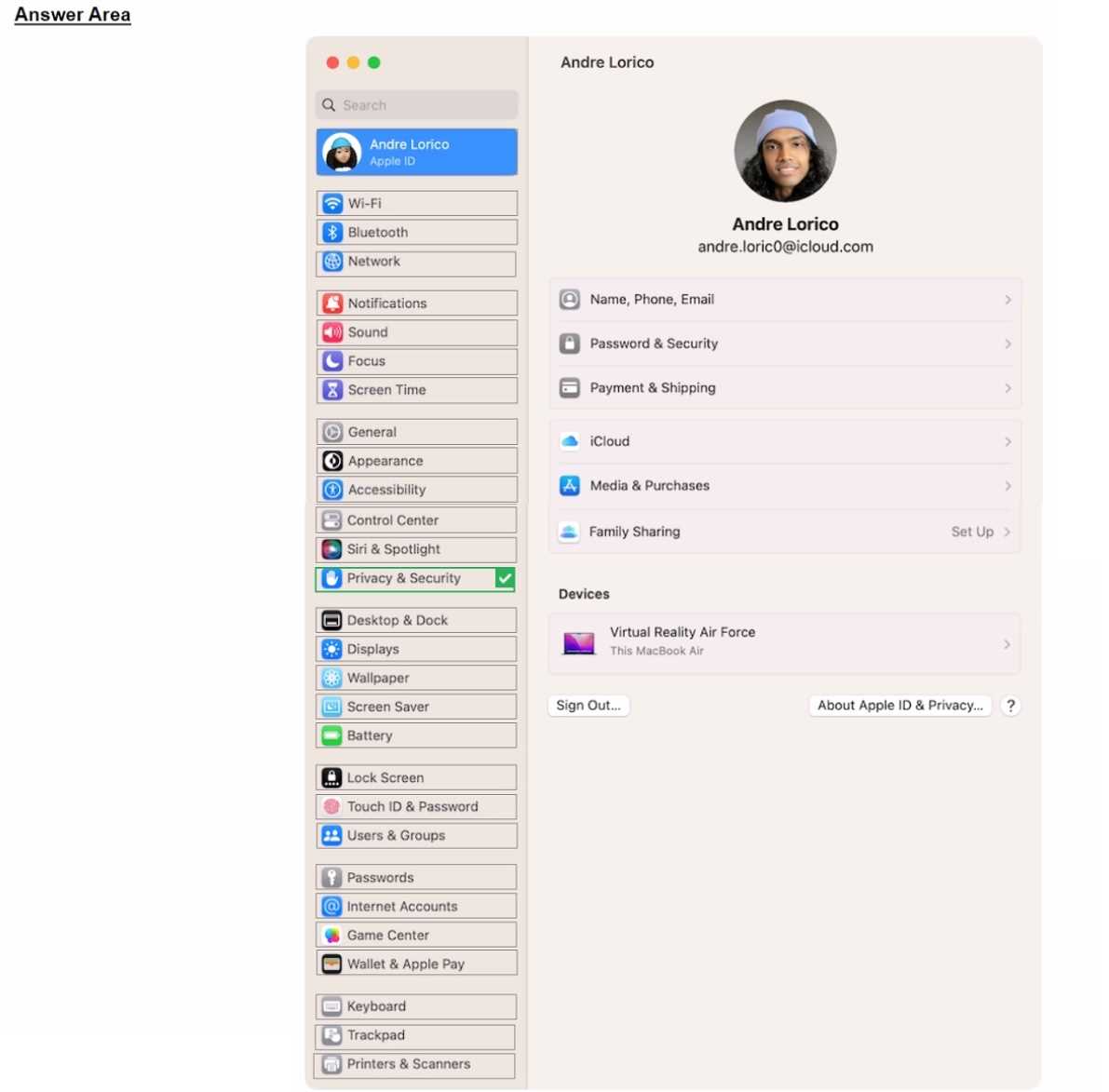
Privacy & Security is the right pick here. That’s where Lockdown Mode sits in recent macOS versions, just scroll down inside that section. If the screenshot shows the System Settings sidebar, it’s almost always Privacy & Security for features like this. Could be confusing if you’re thinking of Control Center or an older OS, but current systems have it there. Pretty sure that’s what they want.
Depends if they mean system settings for iOS or macOS since the sidebar layout's a bit different. If it’s asking for the most secure setting, “Privacy & Security” is right. But if the screenshot’s from older macOS versions, would that change things?
Had something like this in a mock and it was definitely Privacy & Security. Lockdown Mode lives under there now on recent macOS. Might change if it's a really old version, but for most up-to-date systems, that's the spot.
