
Q: 13
HOTSPOT
Scenario:
Ozzy contacted you about issues obtaining 5G service on his iPhone. You confirmed that his device is
compatible with the carrier's 5G service, in a coverage area, and using the latest version of iOS. The
carrier's support website indicates that a carrier settings update is needed to fully support its 5G
service.
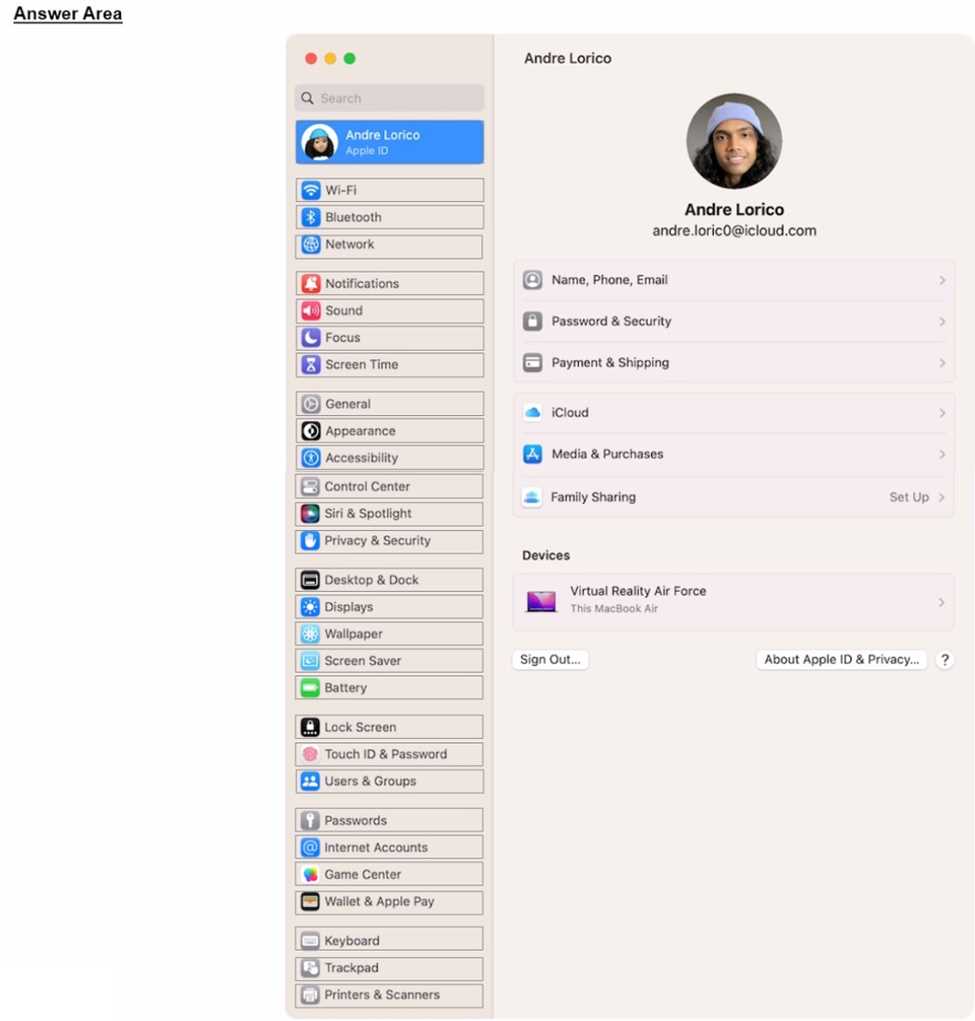
Where in Settings should you go to manually check for carrier settings updates on iPhone?

Your Answer
Discussion
General > About
If you go to Settings, then General, then About, that's where iPhone usually checks for carrier settings updates. Sometimes you'll get a popup if an update is available. Pretty sure that's the process unless something changed in recent iOS versions.
If you go to Settings, then General, then About, that's where iPhone usually checks for carrier settings updates. Sometimes you'll get a popup if an update is available. Pretty sure that's the process unless something changed in recent iOS versions.
Yeah, it's under Settings > General > About. That's where the prompt pops up if a carrier update is available. Saw this on a similar question before. Let me know if anyone's seen a different flow though.
Be respectful. No spam.
