
Q: 12
HOTSPOT
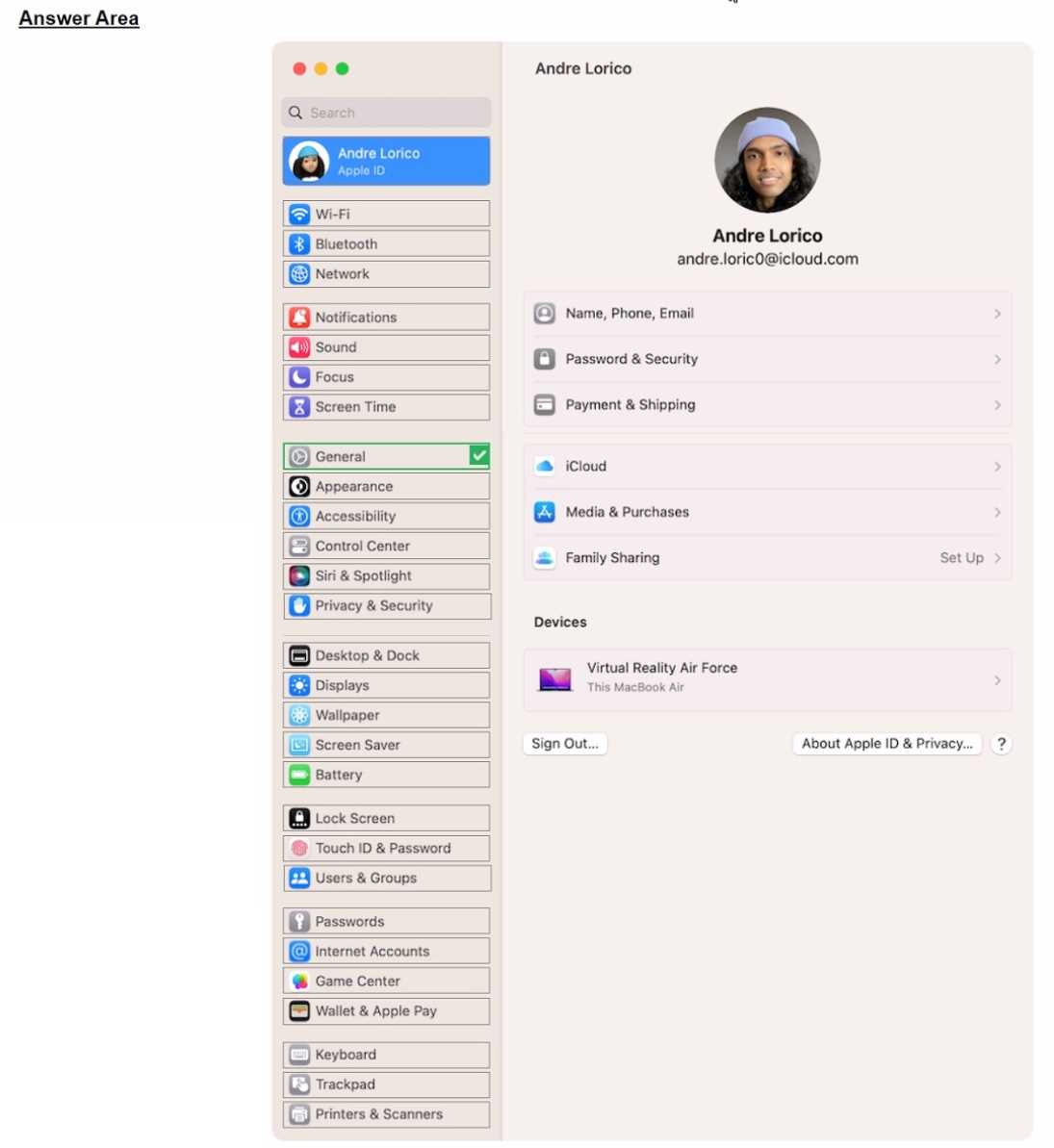
Select the setting in the sidebar that you should use to automatically keep your Mac up to date.

Your Answer
Discussion
General > Software Update is what you pick here. That's where all the auto update options are now for macOS. Easy to mix it up with Security or Privacy but those won't set updates. Seen similar in practice sets so I'm pretty sure that's right, let me know if I missed anything.
Check the official Apple support docs or a good practice test for stuff like this. Software Update in General is the setting you want.
Pretty sure the trap here is thinking it's a privacy setting, but it's actually under General > Software Update.
Be respectful. No spam.
