
DRAG DROP You have a web app that uses Azure AI search. When reviewing activity, you see greater than expected search query volumes. You suspect that the query key is compromised. You need to prevent unauthorized access to the search endpoint and ensure that users only have read only access to the documents collection. The solution must minimize app downtime. Which three action should you perform in sequence? To answer, more the appropriate actions from the list of actions to the answer area and arrange them in the correct order. 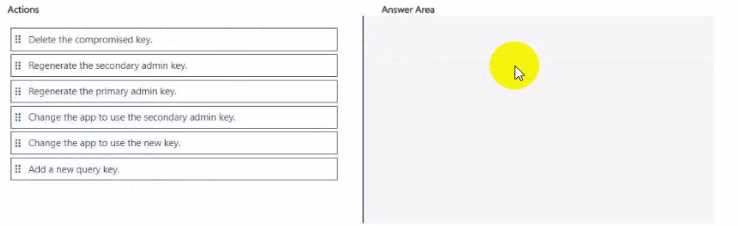
Add a new query key → change app to use it → then delete the compromised key. That's how you rotate in Azure Search with no downtime and keep user access to read only. Pretty sure this matches what Microsoft recommends.
