
Q: 19
DRAG DROP A network engineer is adding 10Gbps link to an existing 2X1Gbps LACP-based LAG to augment its capacity. Network standards require a bundle interface to be take out of service if one of its member links does down, and the new link must be added with minimal impact to the production network. Drag and drop the tasks that the engineer must perform from the left into the sequence on the right. Not all options are used. 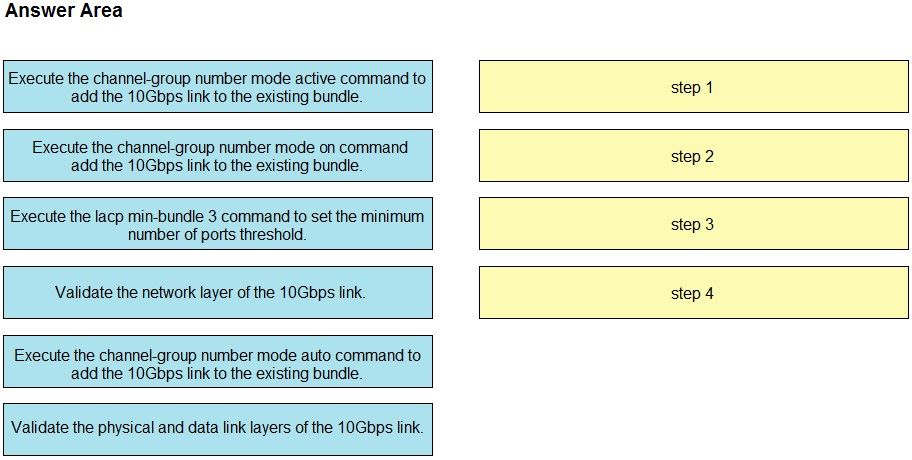
Drag & Drop
Discussion
Physical/data link check, then network layer, channel-group mode on, last is lacp min-bundle 3.
Pretty sure it should be: Validate physical/data link, validate network layer, add with channel-group mode on, then lacp min-bundle 3.
Physical/data link layer validation, then network layer, add with channel-group mode on, finally lacp min-bundle 3.
Physical/data link validation first, then check network layer. Next, add the 10Gbps link with channel-group mode on, finally set lacp min-bundle 3. Not fully sure about steps 2 and 3 order, open to corrections.
Wow, drag and drop questions like this always trip me up. I'd put 'Execute the lacp min-bundle 3 command' before actually adding the 10Gbps link, thinking it needs to be set first so the bundle drops out of service as required. Anyone else see it that way?
Seen similar in official practice-order seems to be:
Validate physical and data link, then network layer, add the 10Gbps link with channel-group ... mode on, and finally adjust lacp min-bundle. Could mix up step 2/3 but that's what the doc suggests.
Be respectful. No spam.
