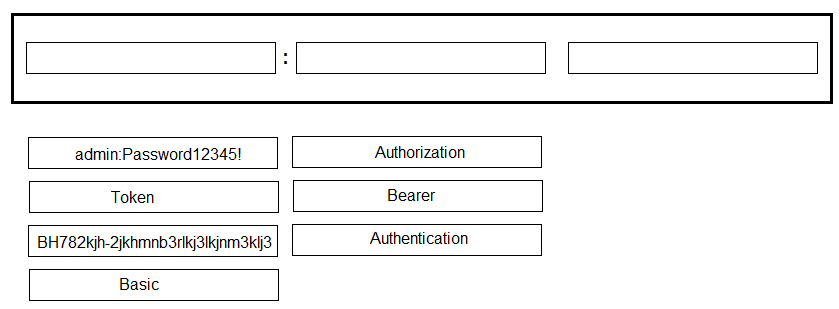
Cisco Webex for Developers Documentation: The official documentation specifies the use of Bearer tokens for API calls. "To make an API call, you will need an access token. This token is passed with every API call in an HTTP header: Authorization: Bearer ."
Source: Cisco Webex for Developers, "Authentication"
URL: https://developer.webex.com/docs/api/getting-started#authentication
Internet Engineering Task Force (IETF) RFC 6750: This document defines the Bearer Token Usage for OAuth 2.0. Section 2.1 explicitly details the "Authorization Request Header Field" method as the primary way to transmit the token.
Source: IETF RFC 6750, "The OAuth 2.0 Authorization Framework: Bearer Token Usage," Section 2.1
URL: https://tools.ietf.org/html/rfc6750#section-2.1
Internet Engineering Task Force (IETF) RFC 7235: This standard defines the Authorization header field for HTTP/1.1, establishing it as the correct header for carrying authentication credentials.
Source: IETF RFC 7235, "Hypertext Transfer Protocol (HTTP/1.1): Authentication," Section 4.2
URL: https://tools.ietf.org/html/rfc7235#section-4.2

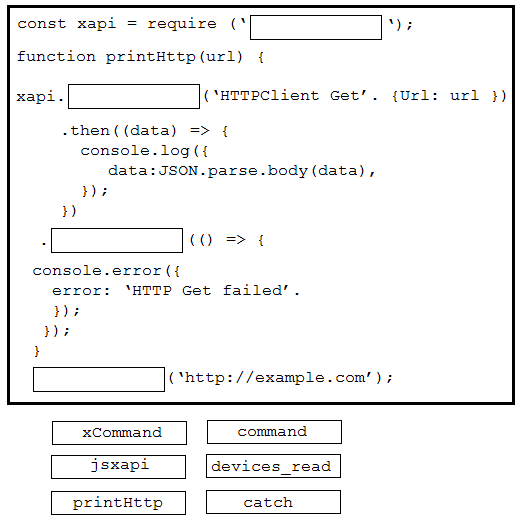
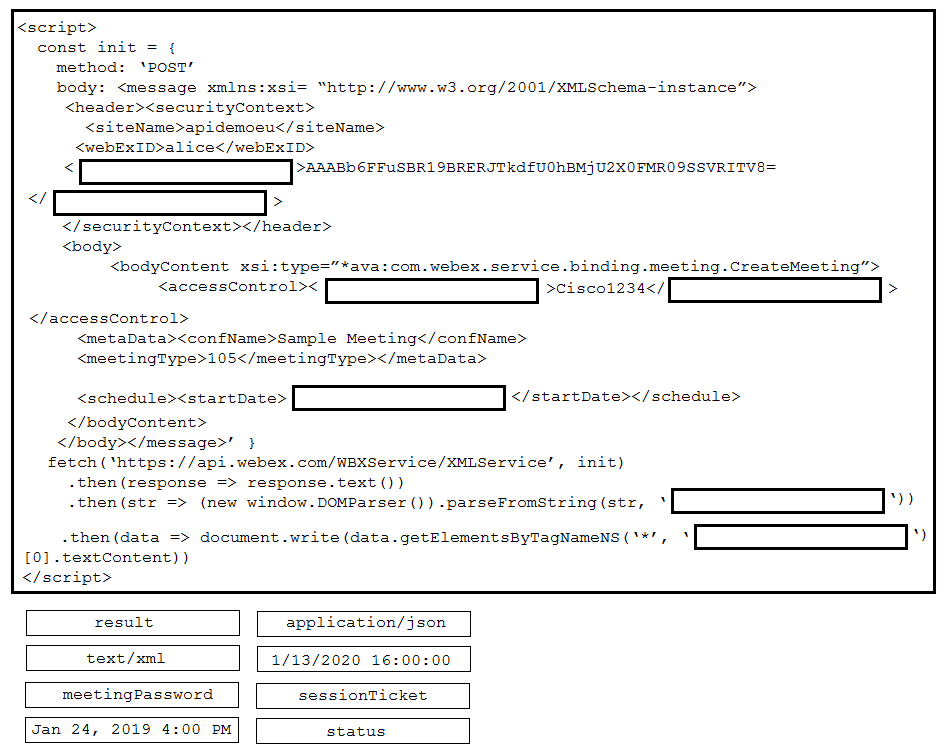
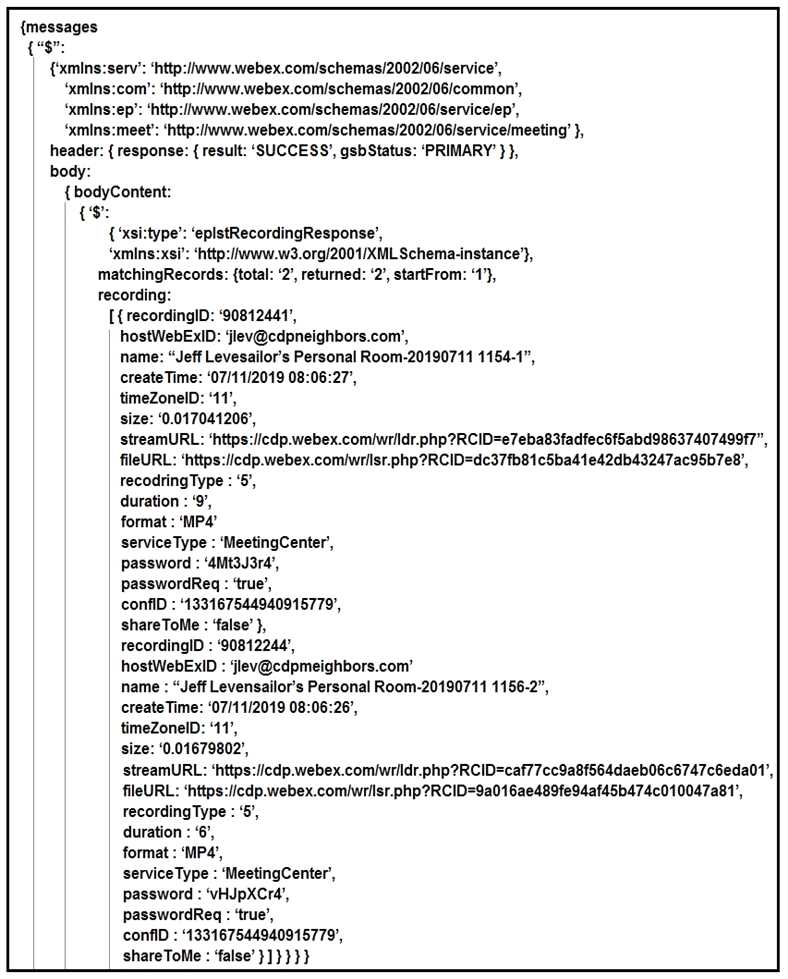 A training coordinator must post links to Webex recordings on a company SharePoint site. This is usually a manual process, but a DevOps engineer wants to automate it using Webex XML APIs. After a sucessful LstRecording call wrapped in xml2js, the ‘console dir(result)’ output is shown in the exhibit. Using ‘dot notation’, drag and drop the code below onto the code snippet to output the streamURL for each recording.
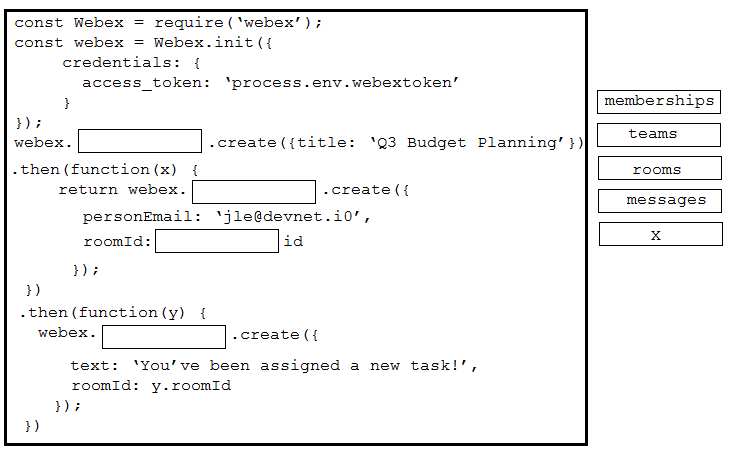
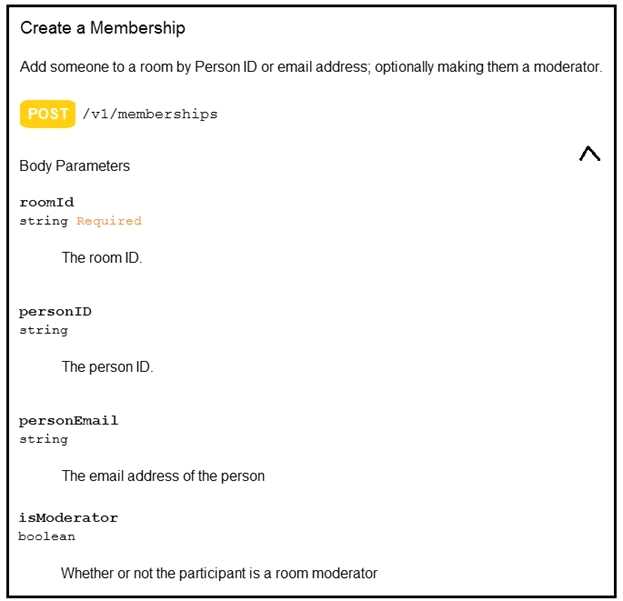 Drag and drop the code on the snippet to add the user with email “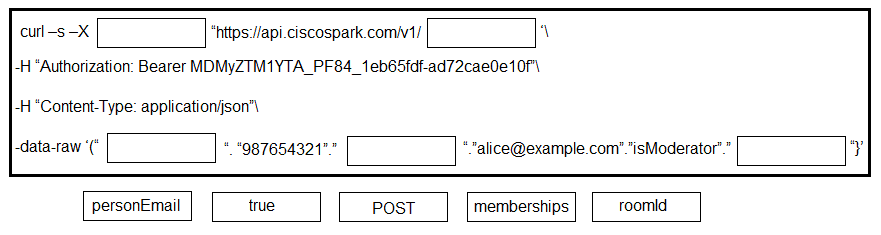
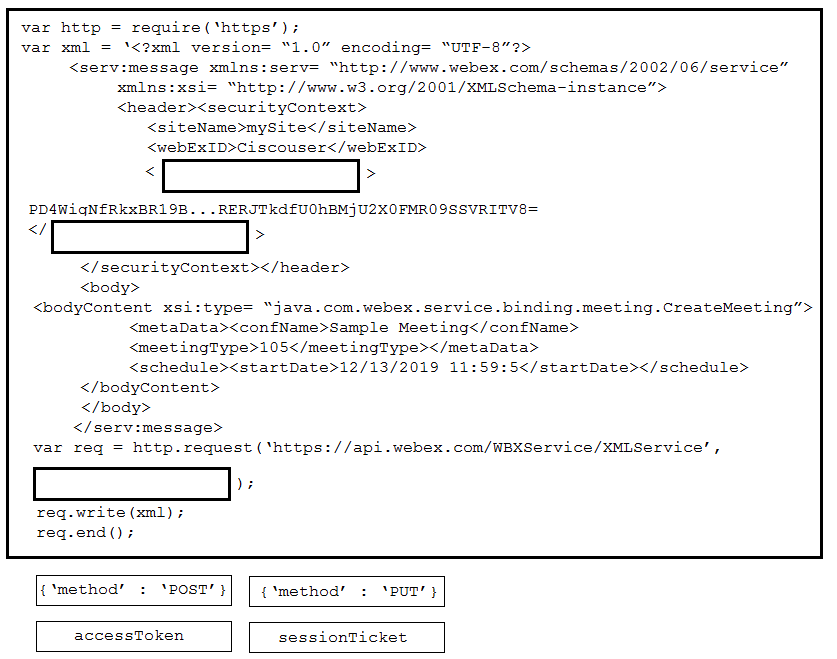

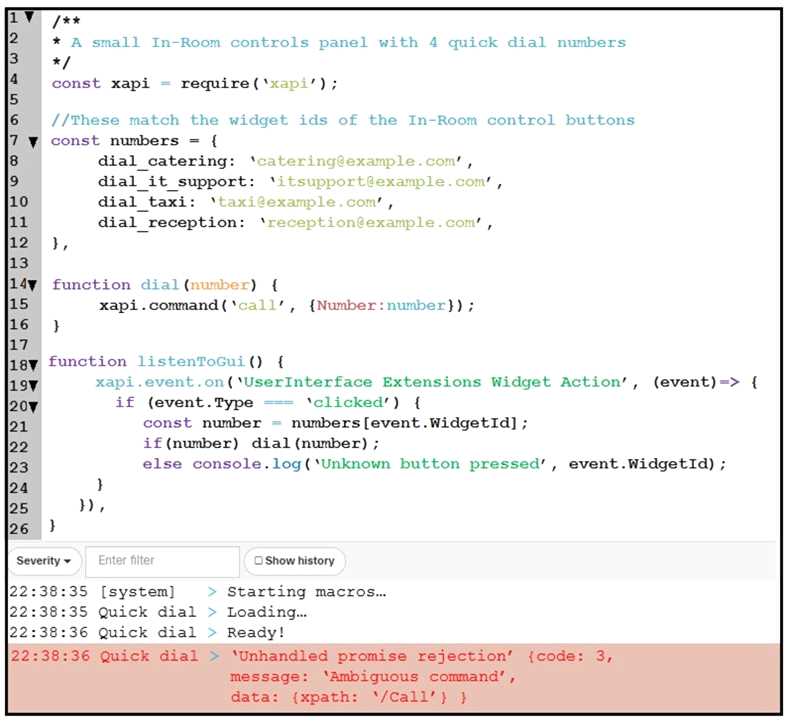 An end user reports that the speed dial button is not working on their Webex Device, and when loading into the Macro Editor, this error was presented. On which line is the incorrect syntax?