
Q: 12
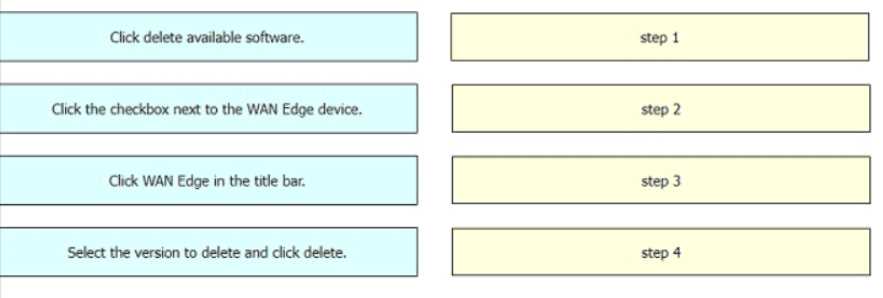
DRAG DROP
Drag and drop the steps from the left Into the order on the right to delete a software image for a
WAN Edge router starting with Maintenance > Software Upgrade > Device list on vManage.

Your Answer
Discussion
Deactivation is the key here. Not B, D. I've seen similar questions and deleting before deactivating is a common trap.
Its D, just remember you can't remove the image unless it's deactivated on the device. Seen this tripping people up in practice labs.
Its D for this sequence, but only if you’ve already deactivated the image first. If you skip that, the delete won’t work right. I think some exam questions don’t clarify that bit.
Be respectful. No spam.
