Correct Answer:
Answer Areas
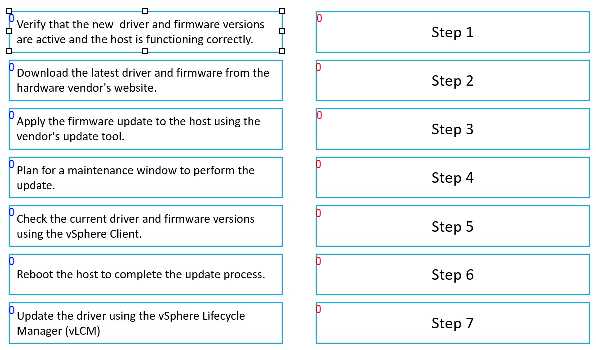
Step 1: D. Plan for a maintenance window to perform the update.
Step 2: E. Check the current driver and firmware versions using the vSphere Client.
Step 3: B. Download the latest driver and firmware from the hardware vendor's website.
Step 4: C. Apply the firmware update to the host using the vendor's update tool.
Step 5: G. Update the driver using the vSphere Lifecycle Manager (VLCM)
Step 6: F. Reboot the host to complete the update process.
Step 7: A. Verify that the new driver and firmware versions are active and the host is functioning correctly.