
Q: 16
SIMULATION
A user reports that after a recent software deployment to upgrade applications, the user can no
longer use the Testing program.
However, other employees can successfully use the Testing program.
INSTRUCTIONS
Review the information in each tab to verify the results of the deployment and resolve any issues
discovered by selecting the:
Index number of the Event Viewer issue
First command to resolve the issue
Second command to resolve the issue
BSOD
 Commands:
Event Viewer:
System Error:
Commands:
Event Viewer:
System Error:
 Commands:
 Event Viewer:
 System Error:


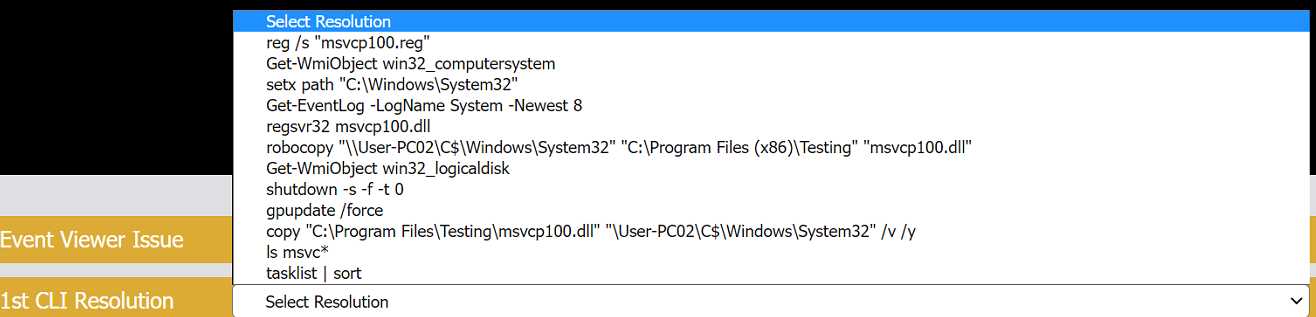
Your Answer
Discussion
2187, copy "C:\Program Files\Testing\msvcp100.dll" "\\User-PC02\C$\Windows\System32", regsvr32 msvcp100.dll
2187, copy to System32, then regsvr32 the DLL. Saw a similar question in some exam reports.
2187, copy to System32, regsvr32 msvcp100.dll. Official practice tests and the A+ objectives both cover this DLL registration step.
2188, copy to System32, regsvr32 msvcp100.dll. I remember some folks tripped up on the event ID here.
Be respectful. No spam.
