In Cisco UCS servers, the System Health LED provides a visual indication of the server's health. A
steady amber System Health LED typically indicates a major issue within the server hardware that
requires attention. Here are the likely causes:
At least one DIMM is faulty (Option A):
A steady amber LED may indicate a hardware fault, including memory issues such as a faulty DIMM.
Memory faults are common causes of amber status LEDs in servers, as these can affect the overall
stability of the system.
Major fault with the system board (Option C):
A significant issue with the system board can also trigger the steady amber LED. This could include
issues with onboard components or interconnects that are critical to the server's operation.
Explanation of Other Options:
B . Major fault with CPU: While a CPU fault can cause the system to fail, it generally results in a
different LED behavior or a critical (red) LED rather than a steady amber.
D . CPU mismatch: A CPU mismatch typically occurs if processors of different specifications are
installed, but it does not usually result in a steady amber System Health LED. It might produce a
different error or status.
E. Major fault with memory DIMM: While this option seems related, the term "at least one DIMM is
faulty" (Option A) is more accurate as it specifies the memory fault directly causing the amber LED.
Summary:
A steady amber System Health LED in a Cisco UCS server often indicates at least one faulty DIMM or
a major fault with the system board. These issues typically require further diagnostics and possibly
hardware replacement to restore the server to full operational health.

 Which two faults can occur if the System Health LED is in a steady amber state? (Choose two.)
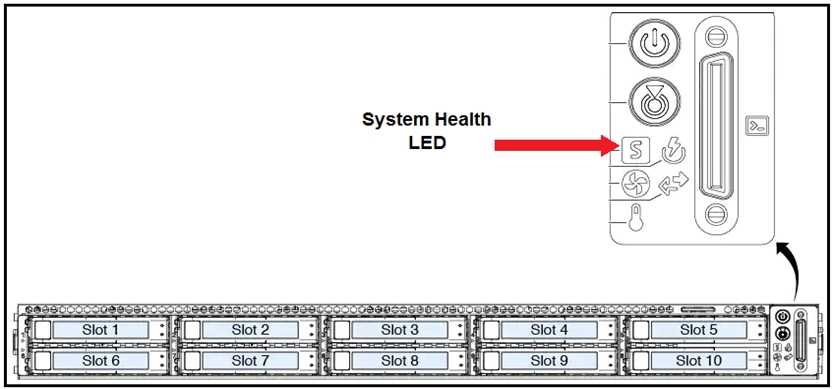 Which two faults can occur if the System Health LED is in a steady amber state? (Choose two.)
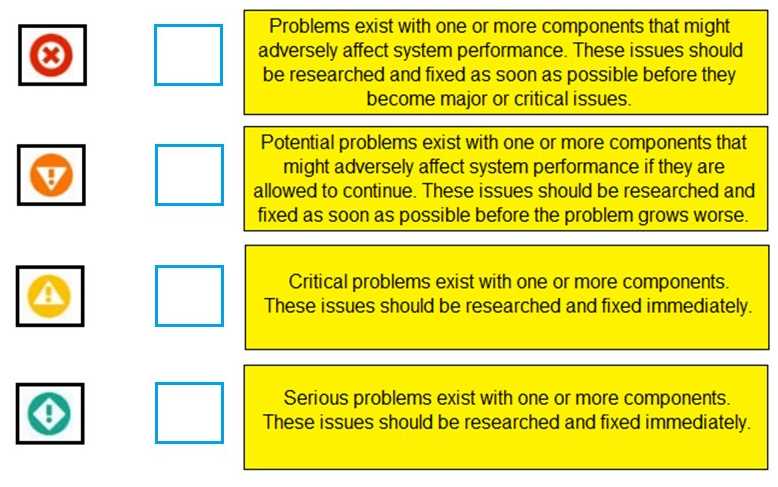
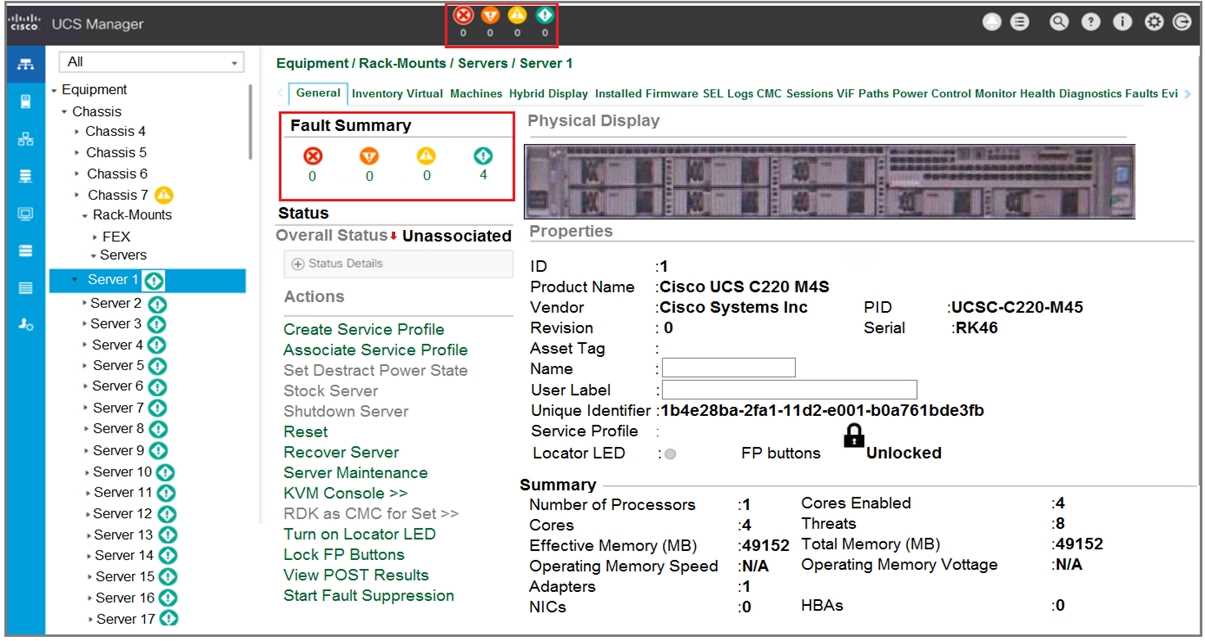 Refer to the exhibit. Match the Fault Icons to the appropriate description.
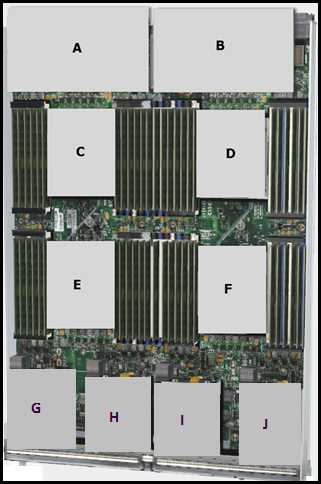 Which item does A represent?